> ## Documentation Index
> Fetch the complete documentation index at: https://docs.altnautica.com/llms.txt
> Use this file to discover all available pages before exploring further.
# Logs
> Live tail of structured agent logs with level and service filters.
# Logs
The Logs page is a live tail of the agent's structured log stream.
Each entry shows timestamp, level, service, event, and a JSON payload.
The stream is backed by the durable black-box logging store (`ados-logd`), which also keeps telemetry, events, and hardware samples across reboots. The same store is queryable from the CLI with `ados logs query` and `ados logs tail`, including off-box when the agent's HTTP port is down.
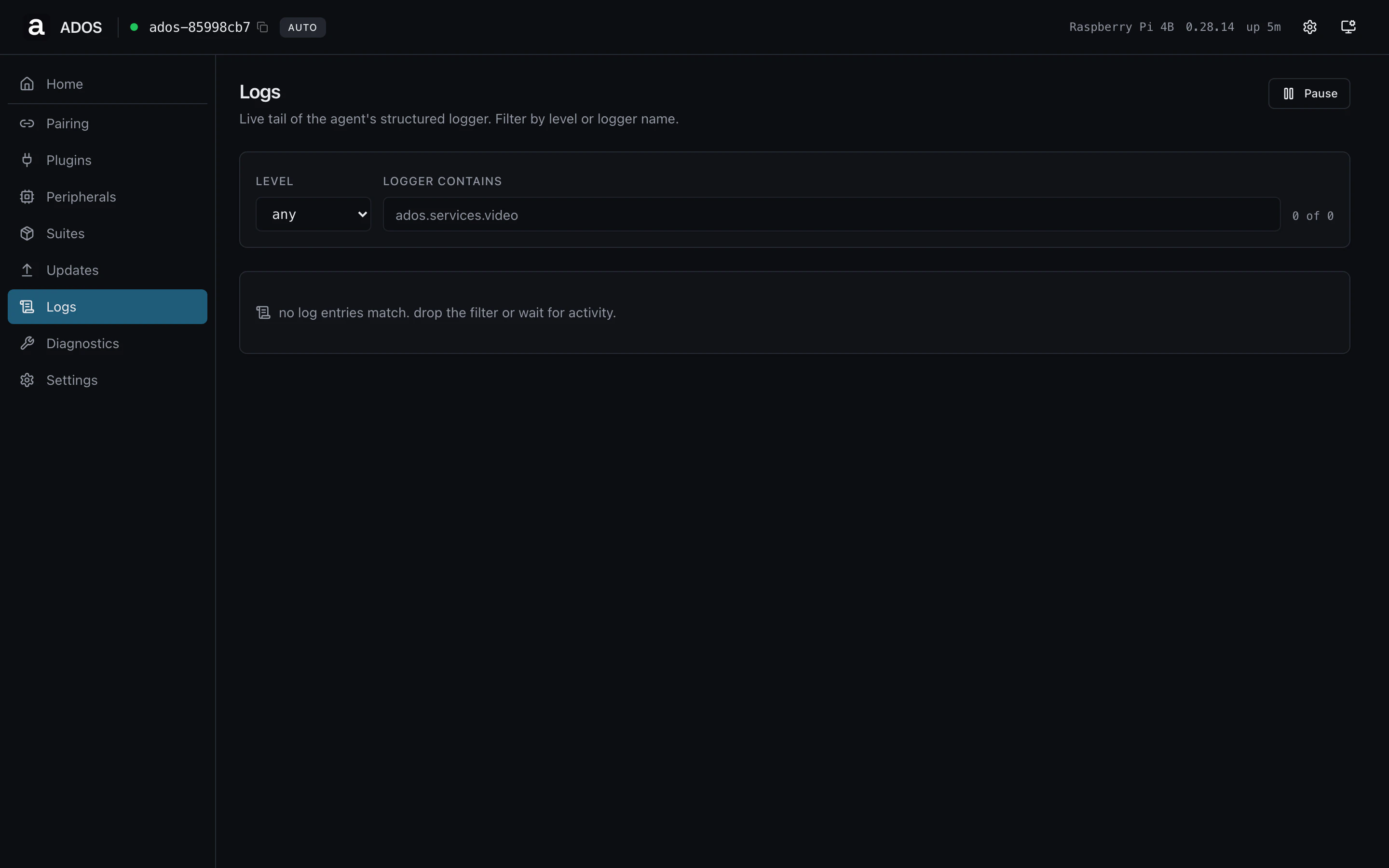 ## Controls
| Control | Effect |
| -------------- | ------------------------------------------------------------------------ |
| Level | Filters the stream to entries at or above the selected level. |
| Service | Filters to a single systemd unit (`ados-supervisor`, `ados-cloud`, etc). |
| Limit | Number of rows held in the view (default 200). |
| Pause / Follow | Pause to inspect a row without auto-scroll; resume to follow. |
| Clear | Drop everything currently in the view. |
## Levels
The agent uses standard syslog levels:
| Level | When emitted |
| ---------- | ------------------------------------------------- |
| `debug` | Detail useful during development. Off by default. |
| `info` | Lifecycle events, normal operations. |
| `warning` | A degraded condition the agent recovered from. |
| `error` | Operation failed; user attention may be needed. |
| `critical` | Service-level outage. |
## Profile gating
Shared route, visible on both profiles.
## Backend endpoints
| Method | Path | Purpose |
| ------ | ------------------------------------- | ---------------------------------- |
| GET | `/api/logs?limit=N&level=L&service=S` | Page through the recent log buffer |
The page polls the endpoint every two seconds when **Follow** is on.
## Troubleshooting
No entries match the filter. Drop the level (`debug` shows everything)
or clear the service filter. A truly silent stream usually means the
journald buffer rotated out the rows the agent surfaces.
SSH into the node and run `journalctl -u ados-supervisor -f`. The
dashboard surfaces the structured stream the agent emits, which is a
superset for our services but does not include kernel-level events.
## Related
* [Systemd services](/drone-agent/systemd-services)
* [Troubleshooting guide](/drone-agent/troubleshooting)
## Controls
| Control | Effect |
| -------------- | ------------------------------------------------------------------------ |
| Level | Filters the stream to entries at or above the selected level. |
| Service | Filters to a single systemd unit (`ados-supervisor`, `ados-cloud`, etc). |
| Limit | Number of rows held in the view (default 200). |
| Pause / Follow | Pause to inspect a row without auto-scroll; resume to follow. |
| Clear | Drop everything currently in the view. |
## Levels
The agent uses standard syslog levels:
| Level | When emitted |
| ---------- | ------------------------------------------------- |
| `debug` | Detail useful during development. Off by default. |
| `info` | Lifecycle events, normal operations. |
| `warning` | A degraded condition the agent recovered from. |
| `error` | Operation failed; user attention may be needed. |
| `critical` | Service-level outage. |
## Profile gating
Shared route, visible on both profiles.
## Backend endpoints
| Method | Path | Purpose |
| ------ | ------------------------------------- | ---------------------------------- |
| GET | `/api/logs?limit=N&level=L&service=S` | Page through the recent log buffer |
The page polls the endpoint every two seconds when **Follow** is on.
## Troubleshooting
No entries match the filter. Drop the level (`debug` shows everything)
or clear the service filter. A truly silent stream usually means the
journald buffer rotated out the rows the agent surfaces.
SSH into the node and run `journalctl -u ados-supervisor -f`. The
dashboard surfaces the structured stream the agent emits, which is a
superset for our services but does not include kernel-level events.
## Related
* [Systemd services](/drone-agent/systemd-services)
* [Troubleshooting guide](/drone-agent/troubleshooting)