> ## Documentation Index
> Fetch the complete documentation index at: https://docs.altnautica.com/llms.txt
> Use this file to discover all available pages before exploring further.
# Plugins
> Install, enable, and manage signed .adosplug archives on this node.
# Plugins
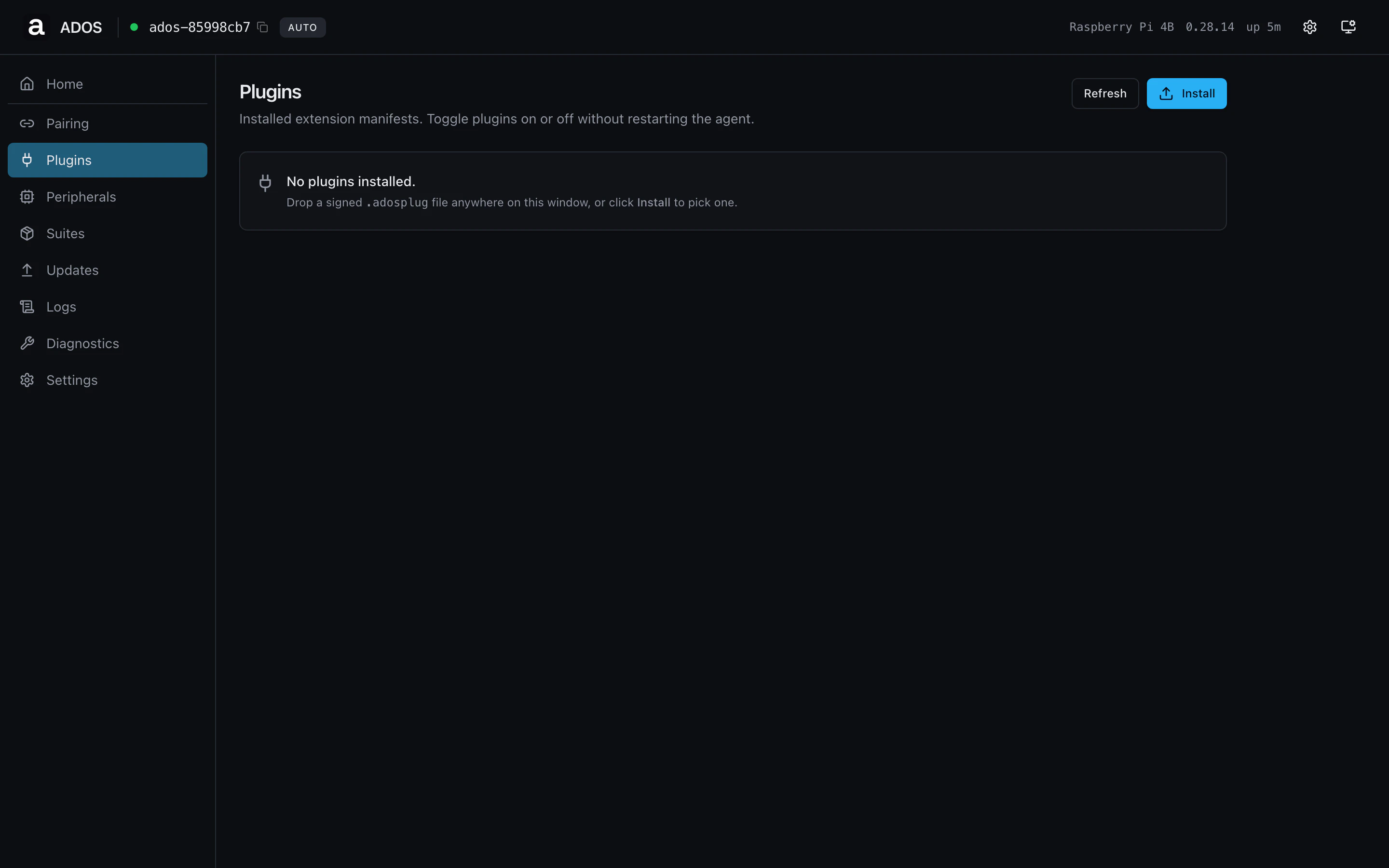
The Plugins page is the operator UI for the agent's plugin system. Drop
a signed `.adosplug` archive in, grant the permissions it asks for,
enable it, and the agent runs it as a subprocess under the
`ados-plugins.slice` systemd cgroup.
 ## Sections
### Install
Drag a `.adosplug` archive onto the dropzone, or click **Install** and
pick the file. The agent parses the manifest, validates the Ed25519
signature, and shows a pre-install dialog with the requested
permissions and a risk badge (`low`, `medium`, `high`, `critical`).
Approve the permissions and the install proceeds. The installed plugin
appears in the list below in `disabled` state.
### Installed plugins
One row per installed plugin. Each row shows name, version, state
(`enabled` / `disabled` / `error`), and a short summary line. Click a
row to open the detail panel with the full manifest, granted
permissions, and the runtime log.
### Per-plugin actions
| Action | Effect |
| ------- | ---------------------------------------------------------------------------- |
| Enable | Start the plugin's subprocess. The agent generates a systemd unit on demand. |
| Disable | Stop the subprocess. State on disk is preserved. |
| Remove | Uninstall the plugin and remove its state directory. |
| Grant | Add a permission the manifest can request after install. |
| Revoke | Drop a previously granted permission. |
| Logs | Open the streaming log for this plugin's subprocess. |
## Profile gating
Shared route, visible on both profiles.
## Backend endpoints
| Method | Path | Purpose |
| ------ | -------------------------------------- | ------------------------------------------ |
| GET | `/api/plugins` | Installed plugin list |
| POST | `/api/plugins/parse` | Validate manifest from an uploaded archive |
| POST | `/api/plugins/install` | Install a parsed archive |
| POST | `/api/plugins/{id}/enable`, `/disable` | Lifecycle |
| POST | `/api/plugins/{id}/grant` | Grant a permission |
| DELETE | `/api/plugins/{id}/perms/{perm}` | Revoke a permission |
| DELETE | `/api/plugins/{id}` | Uninstall |
| WS | `/api/plugins/jobs/{job_id}` | Stream install progress |
## Troubleshooting
The most common causes are an unsigned archive (signing key not in the
agent's trust list) or a manifest version the agent does not yet
support. The dialog shows the specific failure reason.
Open the plugin detail panel and read the runtime log. Common causes
are a missing permission the manifest didn't pre-declare, or a Python
import error at boot.
## Related
* [Plugins concept](/drone-agent/plugins)
* [Plugin development](/developers/quickstart)
* [Permissions reference](/developers/permissions)
## Sections
### Install
Drag a `.adosplug` archive onto the dropzone, or click **Install** and
pick the file. The agent parses the manifest, validates the Ed25519
signature, and shows a pre-install dialog with the requested
permissions and a risk badge (`low`, `medium`, `high`, `critical`).
Approve the permissions and the install proceeds. The installed plugin
appears in the list below in `disabled` state.
### Installed plugins
One row per installed plugin. Each row shows name, version, state
(`enabled` / `disabled` / `error`), and a short summary line. Click a
row to open the detail panel with the full manifest, granted
permissions, and the runtime log.
### Per-plugin actions
| Action | Effect |
| ------- | ---------------------------------------------------------------------------- |
| Enable | Start the plugin's subprocess. The agent generates a systemd unit on demand. |
| Disable | Stop the subprocess. State on disk is preserved. |
| Remove | Uninstall the plugin and remove its state directory. |
| Grant | Add a permission the manifest can request after install. |
| Revoke | Drop a previously granted permission. |
| Logs | Open the streaming log for this plugin's subprocess. |
## Profile gating
Shared route, visible on both profiles.
## Backend endpoints
| Method | Path | Purpose |
| ------ | -------------------------------------- | ------------------------------------------ |
| GET | `/api/plugins` | Installed plugin list |
| POST | `/api/plugins/parse` | Validate manifest from an uploaded archive |
| POST | `/api/plugins/install` | Install a parsed archive |
| POST | `/api/plugins/{id}/enable`, `/disable` | Lifecycle |
| POST | `/api/plugins/{id}/grant` | Grant a permission |
| DELETE | `/api/plugins/{id}/perms/{perm}` | Revoke a permission |
| DELETE | `/api/plugins/{id}` | Uninstall |
| WS | `/api/plugins/jobs/{job_id}` | Stream install progress |
## Troubleshooting
The most common causes are an unsigned archive (signing key not in the
agent's trust list) or a manifest version the agent does not yet
support. The dialog shows the specific failure reason.
Open the plugin detail panel and read the runtime log. Common causes
are a missing permission the manifest didn't pre-declare, or a Python
import error at boot.
## Related
* [Plugins concept](/drone-agent/plugins)
* [Plugin development](/developers/quickstart)
* [Permissions reference](/developers/permissions)