> ## Documentation Index
> Fetch the complete documentation index at: https://docs.altnautica.com/llms.txt
> Use this file to discover all available pages before exploring further.
# Settings
> Five sub-tabs for profile, network, cloud, display, and advanced configuration.
# Settings
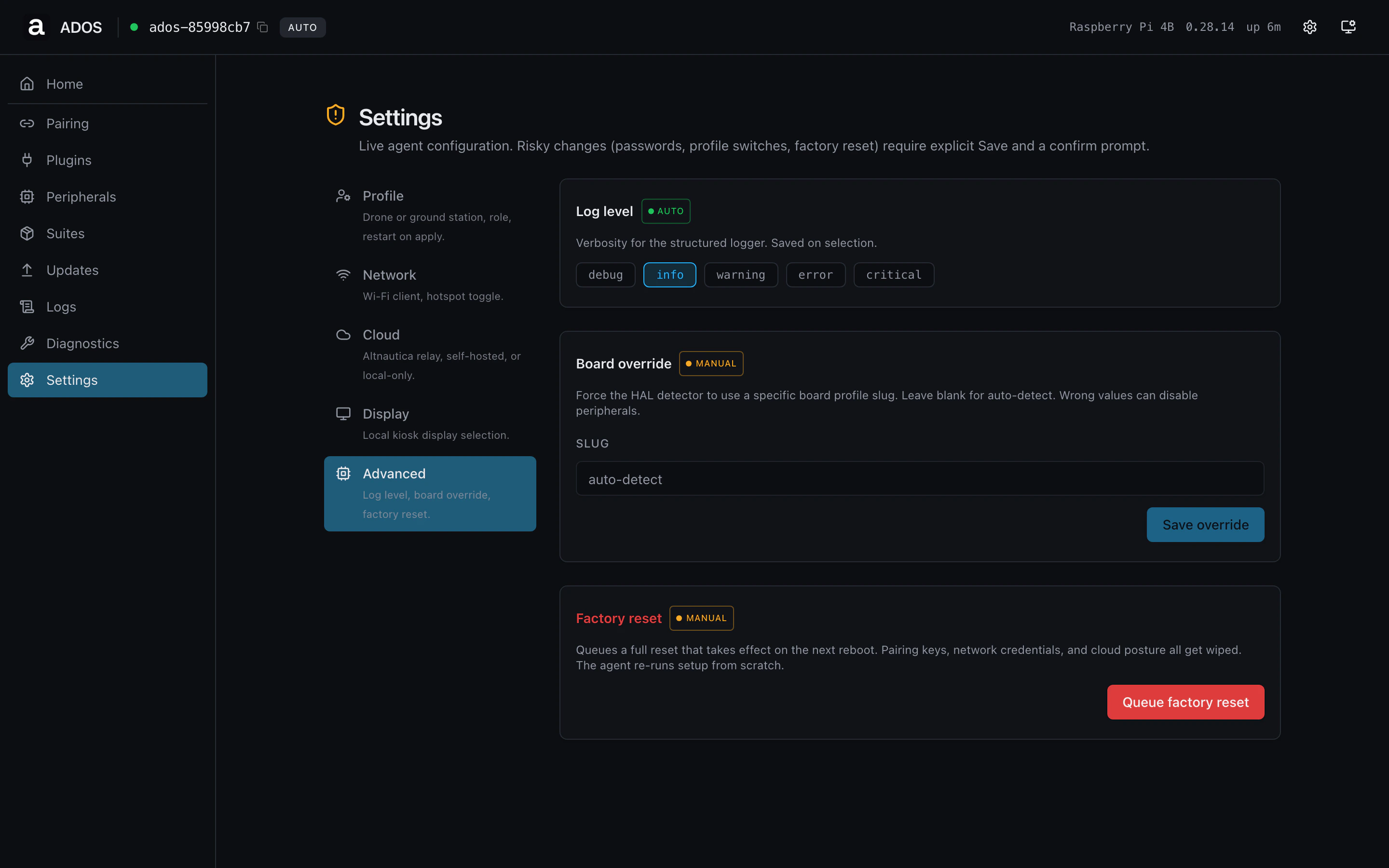
The Settings route has five sub-tabs, each editing one slice of the
agent's runtime config. Changes apply through `/api/v1/setup/apply`
which writes to disk and bounces the relevant services.
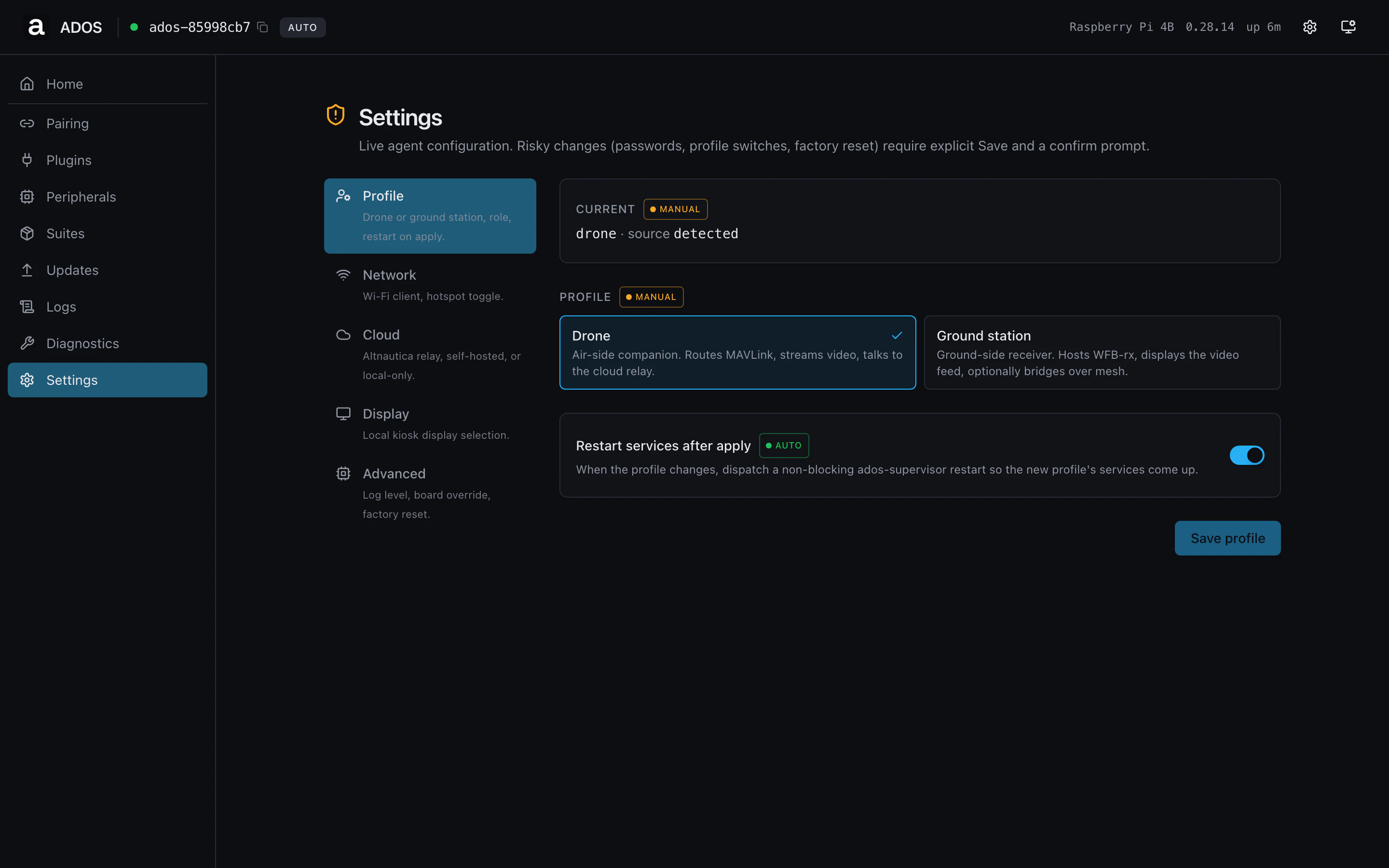 ## Profile
The device's profile (drone or ground station), the ground role
(direct, relay, receiver), and the source the agent used to decide
(`detected`, `manual`, `wizard`). Editing the profile here calls the
same endpoint the wizard's profile step uses.
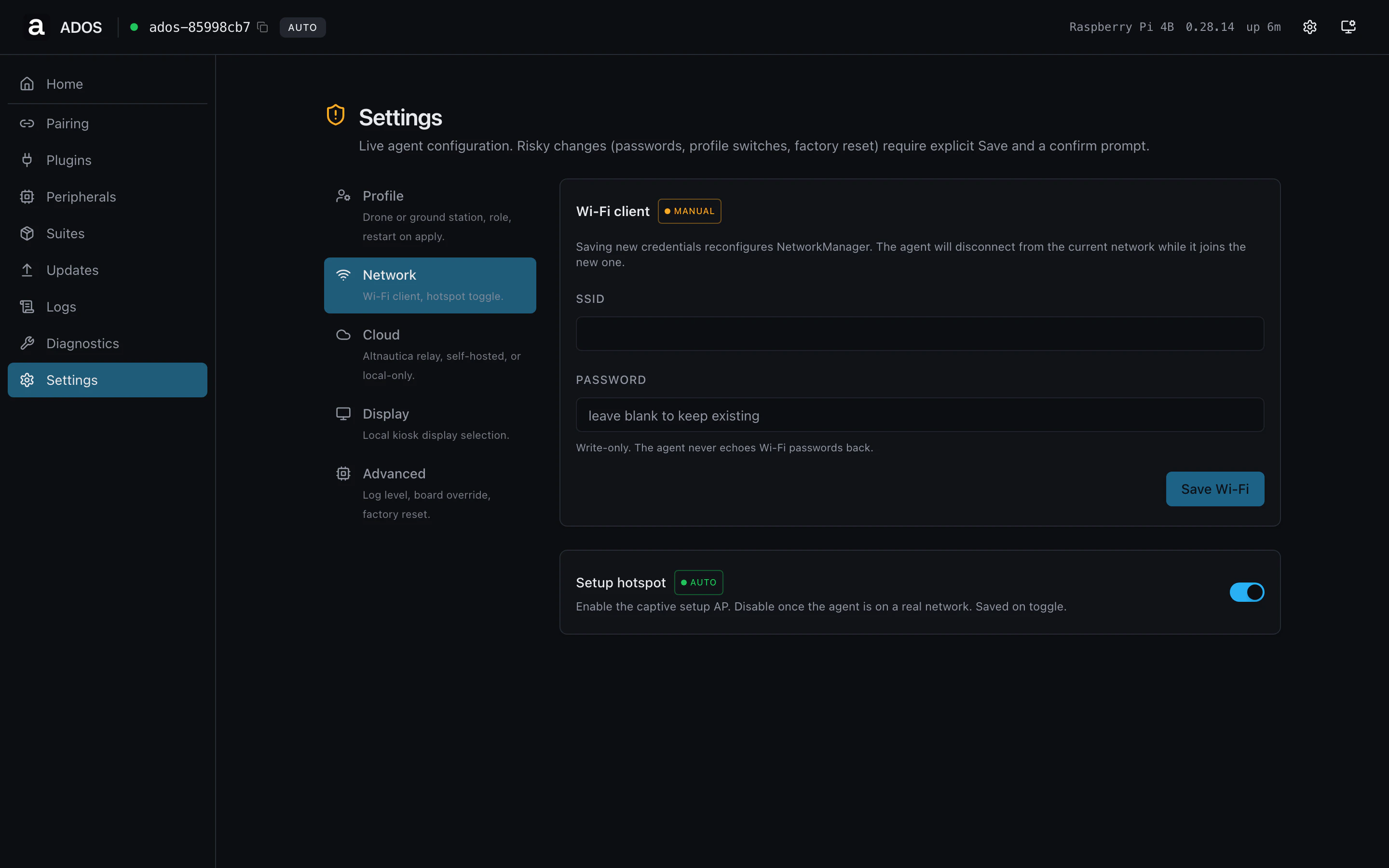
## Network
Hotspot, WiFi client, Ethernet, modem, and the uplink priority order.
The page mirrors the wizard's network step.
## Profile
The device's profile (drone or ground station), the ground role
(direct, relay, receiver), and the source the agent used to decide
(`detected`, `manual`, `wizard`). Editing the profile here calls the
same endpoint the wizard's profile step uses.
## Network
Hotspot, WiFi client, Ethernet, modem, and the uplink priority order.
The page mirrors the wizard's network step.
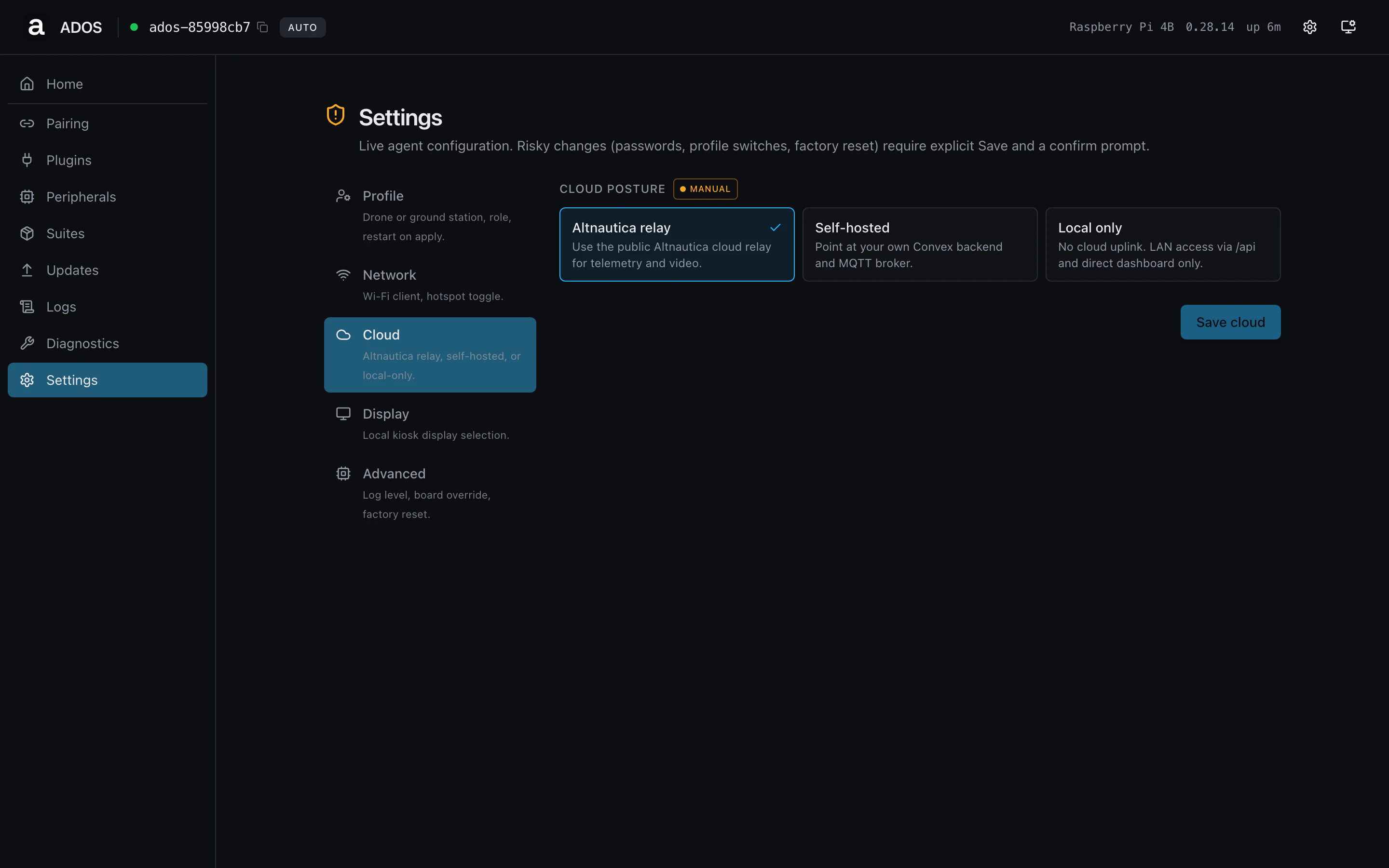
 ## Cloud
Mission Control backend URL, MQTT broker, MQTT port, and the manually
configured API key (used when same-origin trust cannot be relied on,
e.g. across a tunnel).
## Cloud
Mission Control backend URL, MQTT broker, MQTT port, and the manually
configured API key (used when same-origin trust cannot be relied on,
e.g. across a tunnel).
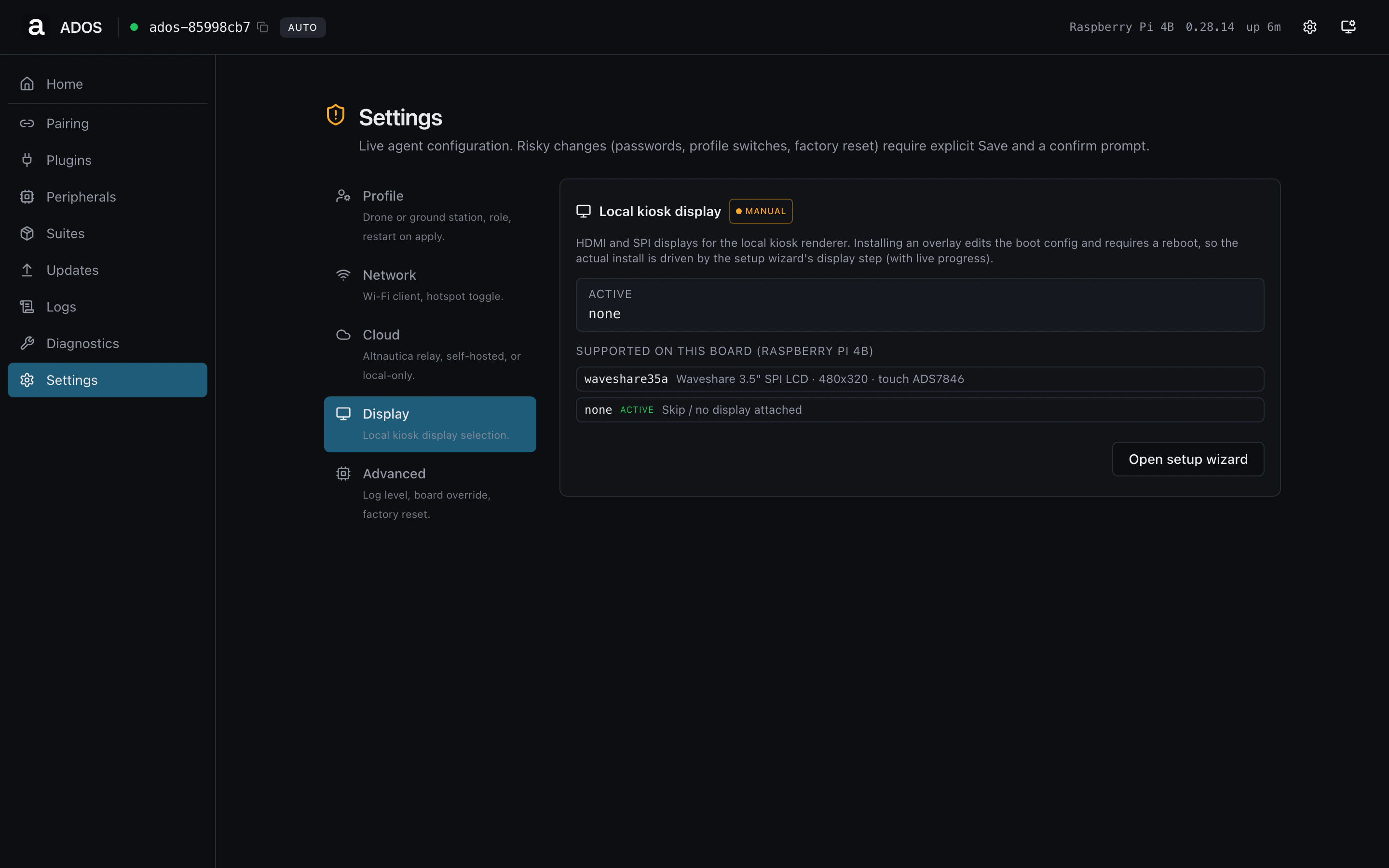
 ## Display
Local panel resolution, rotation, touch-calibration state, and
brightness. Ground stations also see the kiosk slot configuration
here.
## Display
Local panel resolution, rotation, touch-calibration state, and
brightness. Ground stations also see the kiosk slot configuration
here.
 ## Advanced
HMAC signing knobs, setup-token escalation, and factory-reset.
Power-user toggles live here.
## Advanced
HMAC signing knobs, setup-token escalation, and factory-reset.
Power-user toggles live here.
 ## Profile gating
Shared route, visible on both profiles. Some sub-tabs hide
fields that don't apply to the active profile (e.g., ground role on a
drone).
## Backend endpoints
| Method | Path | Used by |
| ------ | ---------------------------------------- | ------------------------------ |
| GET | `/api/config` | Initial load for all tabs |
| POST | `/api/v1/setup/apply` | Batch apply edits |
| POST | `/api/v1/setup/profile` | Profile + ground-role mutation |
| POST | `/api/v1/setup/cloud-choice` | Cloud sub-tab |
| POST | `/api/v1/setup/remote-access/cloudflare` | Cloud sub-tab tunnel token |
## Troubleshooting
Click **Save** in the affected sub-tab. The page does not auto-save;
the apply round-trip is explicit so you can review the diff first.
Some changes require the wizard rather than the settings page (e.g.,
flipping from drone to ground station triggers a hardware-check
re-run). The page shows a banner pointing you at the wizard when this
applies.
## Related
* [Setup webapp](/drone-agent/setup-webapp)
* [Configuration](/drone-agent/configuration)
## Profile gating
Shared route, visible on both profiles. Some sub-tabs hide
fields that don't apply to the active profile (e.g., ground role on a
drone).
## Backend endpoints
| Method | Path | Used by |
| ------ | ---------------------------------------- | ------------------------------ |
| GET | `/api/config` | Initial load for all tabs |
| POST | `/api/v1/setup/apply` | Batch apply edits |
| POST | `/api/v1/setup/profile` | Profile + ground-role mutation |
| POST | `/api/v1/setup/cloud-choice` | Cloud sub-tab |
| POST | `/api/v1/setup/remote-access/cloudflare` | Cloud sub-tab tunnel token |
## Troubleshooting
Click **Save** in the affected sub-tab. The page does not auto-save;
the apply round-trip is explicit so you can review the diff first.
Some changes require the wizard rather than the settings page (e.g.,
flipping from drone to ground station triggers a hardware-check
re-run). The page shows a banner pointing you at the wizard when this
applies.
## Related
* [Setup webapp](/drone-agent/setup-webapp)
* [Configuration](/drone-agent/configuration)