> ## Documentation Index
> Fetch the complete documentation index at: https://docs.altnautica.com/llms.txt
> Use this file to discover all available pages before exploring further.
# Telemetry
> Live sensor stream and the full flight-controller parameter editor.
# Telemetry
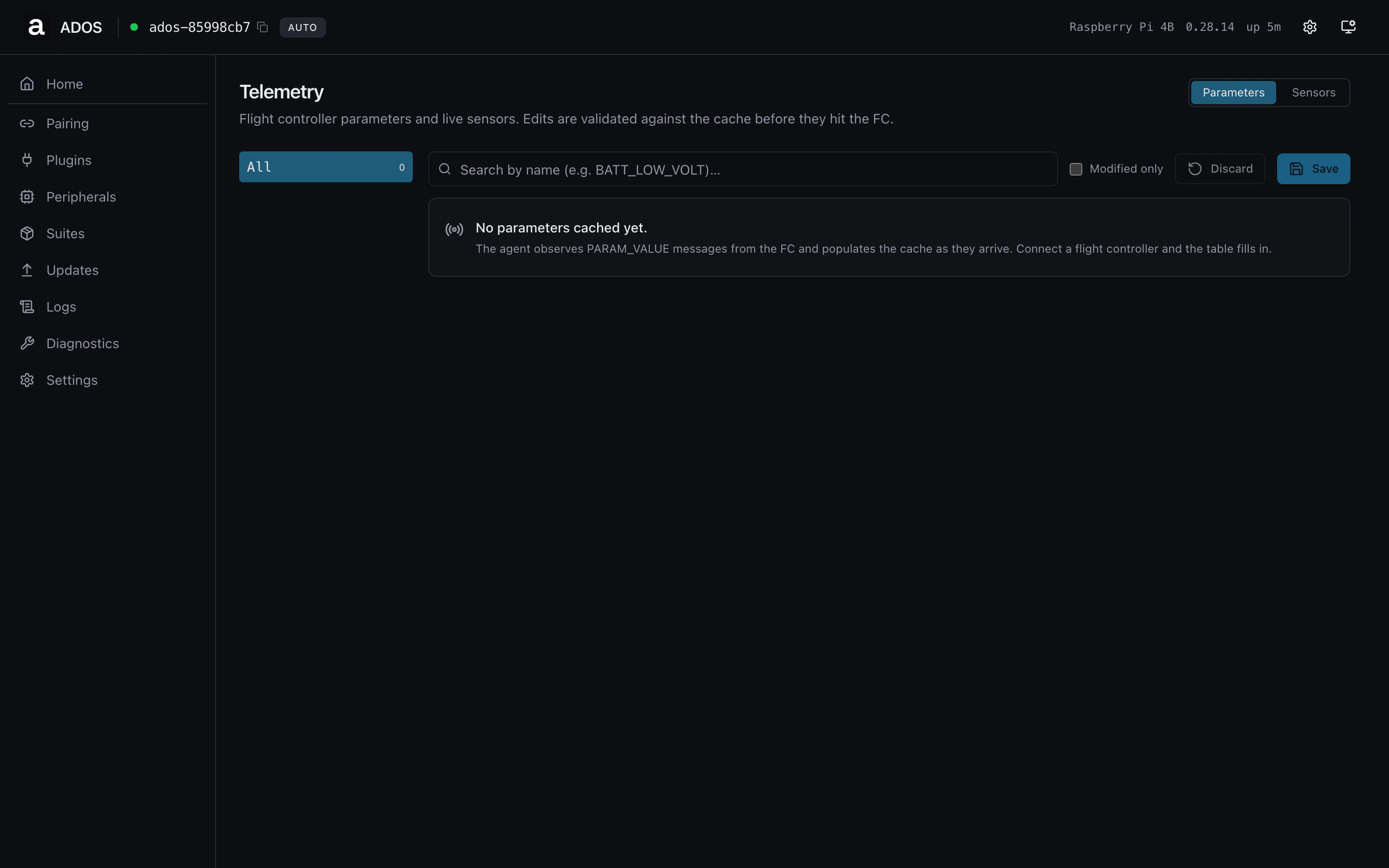
The Telemetry page exposes two surfaces: the live sensor stream pushed
by the flight controller, and the full FC parameter table.
 ## Live sensors
Streamed via the dashboard snapshot endpoint. Each entry has a stable
id, a current value, and a state badge. Sensors with no recent value
fall back to a dash placeholder.
## Parameters
The agent caches the FC parameter table on first connect and keeps a
local copy in sync as values are written. The dashboard renders the
table virtualized for the \~800-parameter ArduPilot surface.
### Common operations
Type into the search box. Matches name + description. The list
re-virtualizes on every keystroke.
Click the value, type the new number, press Enter. The edit goes to
a pending bucket so you can stage multiple edits before pushing.
Click **Save to RAM**. The agent batches the writes, retries on
`PARAM_ACK` timeouts, and surfaces per-param failures. ArduPilot
auto-saves to EEPROM on every `PARAM_SET`, so no separate flash step
is needed.
Click **Commit to flash** if you want the belt-and-suspenders
`MAV_CMD_PREFLIGHT_STORAGE` to fire. The agent treats this command
as fire-and-forget because ArduPilot does not reliably ACK it.
## Profile gating
Telemetry is a drone-only page. On a ground-station profile this URL
renders the "Not available on this profile" panel.
## Backend endpoints
| Method | Path | Purpose |
| ------ | ---------------------------- | ------------------------------------------- |
| GET | `/api/params` | Full parameter dump (cached) |
| GET | `/api/v1/dashboard/snapshot` | `sensors` array on every poll tick |
| POST | `/api/params/{name}` | Single-parameter write (used by the editor) |
## Troubleshooting
The agent has not finished its initial dump from the FC. Wait for the
header to flip from "Loading" to "Loaded N params". A stuck load usually
means the MAVLink serial baud is wrong or the FC has not heartbeated
yet. Check the Flight Controller card on Home.
ArduPilot rejects writes that are out-of-range or read-only. The error
column shows the FC's response. Read the parameter's docs in
[REST API reference](/drone-agent/rest-api) or the FC firmware
documentation before retrying.
## Related
* [Home (Flight Controller panel)](/drone-agent/dashboard-home)
* [MAVLink proxy](/drone-agent/mavlink-proxy)
* [REST API reference](/drone-agent/rest-api)
## Live sensors
Streamed via the dashboard snapshot endpoint. Each entry has a stable
id, a current value, and a state badge. Sensors with no recent value
fall back to a dash placeholder.
## Parameters
The agent caches the FC parameter table on first connect and keeps a
local copy in sync as values are written. The dashboard renders the
table virtualized for the \~800-parameter ArduPilot surface.
### Common operations
Type into the search box. Matches name + description. The list
re-virtualizes on every keystroke.
Click the value, type the new number, press Enter. The edit goes to
a pending bucket so you can stage multiple edits before pushing.
Click **Save to RAM**. The agent batches the writes, retries on
`PARAM_ACK` timeouts, and surfaces per-param failures. ArduPilot
auto-saves to EEPROM on every `PARAM_SET`, so no separate flash step
is needed.
Click **Commit to flash** if you want the belt-and-suspenders
`MAV_CMD_PREFLIGHT_STORAGE` to fire. The agent treats this command
as fire-and-forget because ArduPilot does not reliably ACK it.
## Profile gating
Telemetry is a drone-only page. On a ground-station profile this URL
renders the "Not available on this profile" panel.
## Backend endpoints
| Method | Path | Purpose |
| ------ | ---------------------------- | ------------------------------------------- |
| GET | `/api/params` | Full parameter dump (cached) |
| GET | `/api/v1/dashboard/snapshot` | `sensors` array on every poll tick |
| POST | `/api/params/{name}` | Single-parameter write (used by the editor) |
## Troubleshooting
The agent has not finished its initial dump from the FC. Wait for the
header to flip from "Loading" to "Loaded N params". A stuck load usually
means the MAVLink serial baud is wrong or the FC has not heartbeated
yet. Check the Flight Controller card on Home.
ArduPilot rejects writes that are out-of-range or read-only. The error
column shows the FC's response. Read the parameter's docs in
[REST API reference](/drone-agent/rest-api) or the FC firmware
documentation before retrying.
## Related
* [Home (Flight Controller panel)](/drone-agent/dashboard-home)
* [MAVLink proxy](/drone-agent/mavlink-proxy)
* [REST API reference](/drone-agent/rest-api)