> ## Documentation Index
> Fetch the complete documentation index at: https://docs.altnautica.com/llms.txt
> Use this file to discover all available pages before exploring further.
# Display & Joystick
> HDMI display state, gamepad assignment, Bluetooth pairings.
# Display & Joystick
The Display & Joystick page surfaces the input and output hardware the
ground station uses for its standalone kiosk mode: the local display
panel, attached gamepads, and Bluetooth controllers.
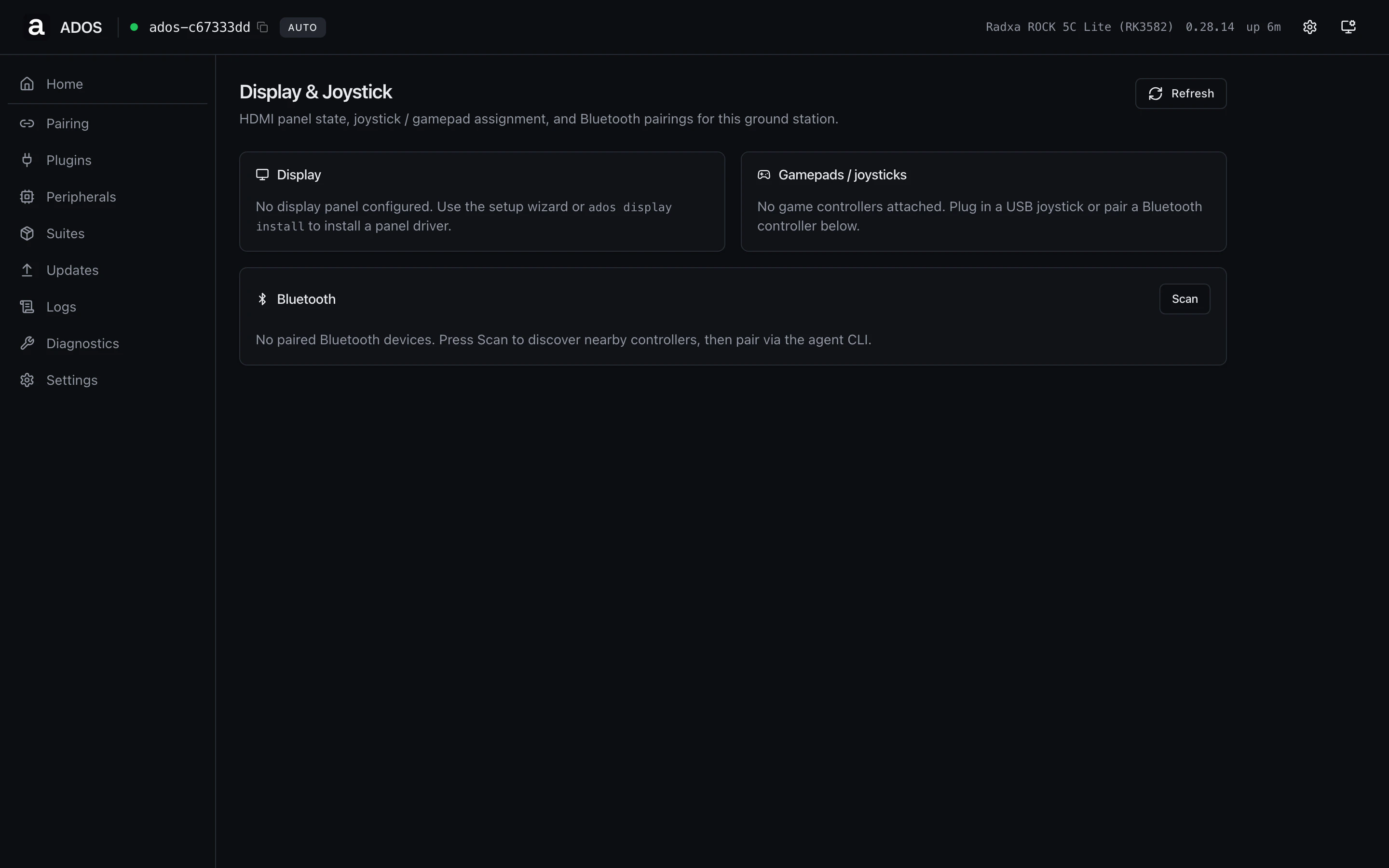 ## Display
The local panel state: panel name, resolution, rotation, touch support,
brightness. Driven by the agent's display service. Empty state suggests
running the setup wizard's display step if no panel is configured. The
installer auto-provisions a supported panel end to end, so a fresh
install usually needs no manual step.
## Gamepads / joysticks
Every controller the agent enumerates: USB joysticks, Bluetooth
gamepads, the JR-bay coprocessor on the RC controller hardware family.
The **primary** badge marks the controller currently routed to the
flight controller.
## Bluetooth
Paired Bluetooth devices, with pair / connect state. Click **Scan** to
trigger a discovery sweep for nearby controllers; pair through the
agent CLI once you have a MAC.
## Profile gating
Ground-station only. On a drone profile this URL renders the "Not
available on this profile" panel.
## Backend endpoints
| Method | Path | Purpose |
| ------ | ----------------------------------------- | ------------------------------ |
| GET | `/api/v1/ground-station/display` | Display state |
| GET | `/api/v1/ground-station/gamepads` | Gamepad list with primary flag |
| GET | `/api/v1/ground-station/bluetooth/paired` | Paired BT devices |
| POST | `/api/v1/ground-station/bluetooth/scan` | Trigger BT discovery |
## Troubleshooting
The kernel saw the device but the agent has not claimed it yet. Wait a
poll cycle. If it stays idle, check Peripherals to confirm the row
shows up there, and Diagnostics for the `ados-input` unit state.
The kiosk service runs on a separate unit. Open Diagnostics and
restart `ados-kiosk` if its row reports inactive.
## Related
* [Display setup](/ground-agent/display)
* [HDMI kiosk](/ground-agent/hdmi-kiosk)
* [Physical UI](/ground-agent/physical-ui)
## Display
The local panel state: panel name, resolution, rotation, touch support,
brightness. Driven by the agent's display service. Empty state suggests
running the setup wizard's display step if no panel is configured. The
installer auto-provisions a supported panel end to end, so a fresh
install usually needs no manual step.
## Gamepads / joysticks
Every controller the agent enumerates: USB joysticks, Bluetooth
gamepads, the JR-bay coprocessor on the RC controller hardware family.
The **primary** badge marks the controller currently routed to the
flight controller.
## Bluetooth
Paired Bluetooth devices, with pair / connect state. Click **Scan** to
trigger a discovery sweep for nearby controllers; pair through the
agent CLI once you have a MAC.
## Profile gating
Ground-station only. On a drone profile this URL renders the "Not
available on this profile" panel.
## Backend endpoints
| Method | Path | Purpose |
| ------ | ----------------------------------------- | ------------------------------ |
| GET | `/api/v1/ground-station/display` | Display state |
| GET | `/api/v1/ground-station/gamepads` | Gamepad list with primary flag |
| GET | `/api/v1/ground-station/bluetooth/paired` | Paired BT devices |
| POST | `/api/v1/ground-station/bluetooth/scan` | Trigger BT discovery |
## Troubleshooting
The kernel saw the device but the agent has not claimed it yet. Wait a
poll cycle. If it stays idle, check Peripherals to confirm the row
shows up there, and Diagnostics for the `ados-input` unit state.
The kiosk service runs on a separate unit. Open Diagnostics and
restart `ados-kiosk` if its row reports inactive.
## Related
* [Display setup](/ground-agent/display)
* [HDMI kiosk](/ground-agent/hdmi-kiosk)
* [Physical UI](/ground-agent/physical-ui)