> ## Documentation Index
> Fetch the complete documentation index at: https://docs.altnautica.com/llms.txt
> Use this file to discover all available pages before exploring further.
# Installing plugins
> Install signed plugins per drone, review permissions, and manage what each drone runs.
# Installing plugins
Plugins extend Mission Control and the agent on the drones you select. Each plugin is signed, reviewed at install time, and scoped to the specific drone you install it on. A plugin you enable on one drone in your fleet stays off on the others until you install it there too.
 ## Where to install
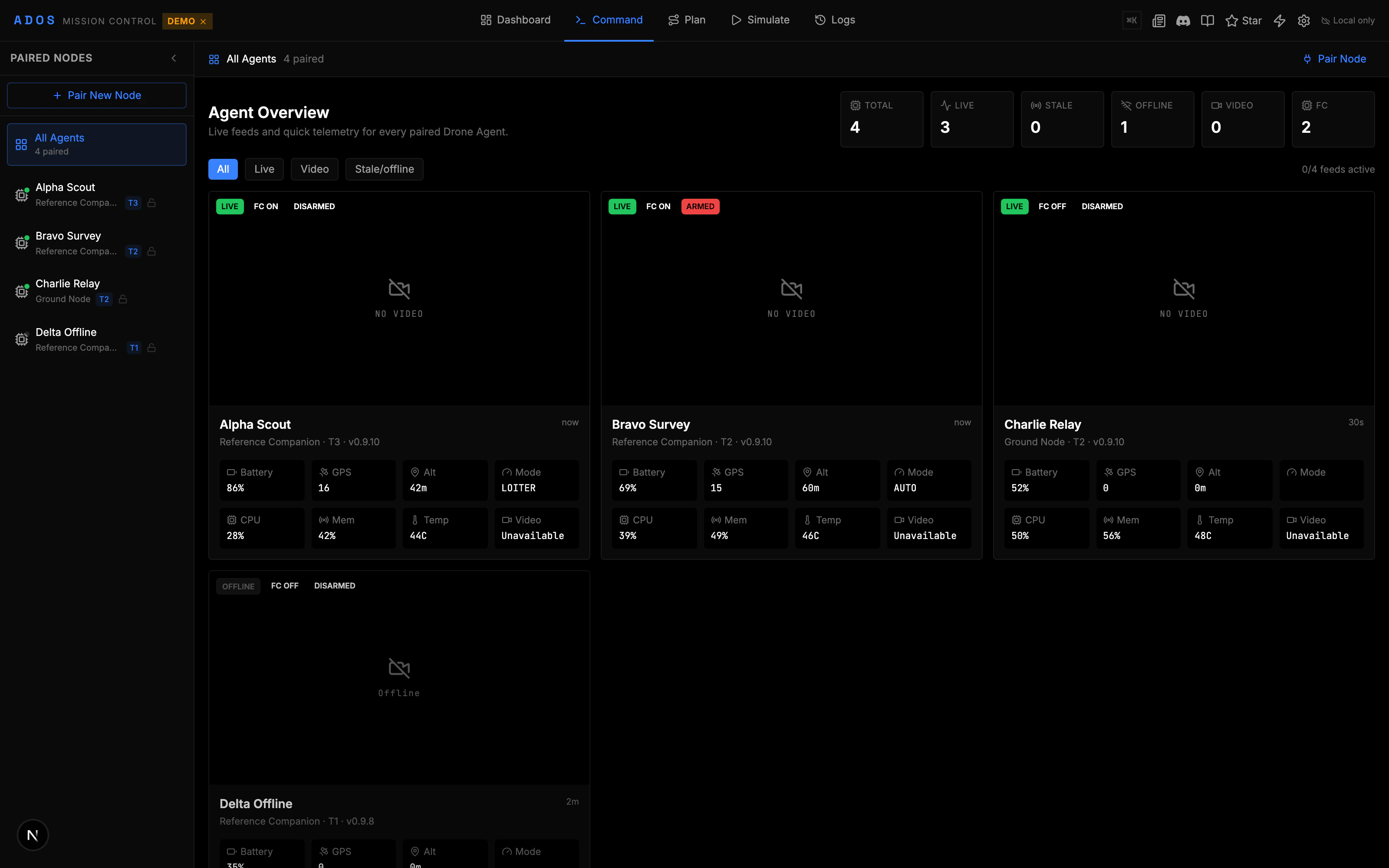
Open a drone from the fleet, then switch to the **Plugins** tab in the per-drone detail panel. The tab has two regions:
* **Installed**: every plugin currently installed on this drone. Each row shows version, state (running / stopped / errored), and a quick toggle.
* **Add a plugin**: install a signed `.adosplug` package. Click a plugin to see its manifest and requested permissions before installing.
Today you install a plugin from a signed `.adosplug` file on your computer or from a direct URL. A hosted public registry that lists first-party and community plugins is planned but not yet available, so the two file and URL channels are the way to install for now.
## Two-stage install dialog
When you pick a plugin to install, Mission Control opens a two-stage dialog so you can review what you're about to grant.
### Stage 1: Summary
The first stage shows the plugin's identity:
* Plugin id (e.g. `com.altnautica.battery-health-panel`)
* Version + release date
* Signer key id (first-party plugins are signed by `altnautica-2026-A`)
* Risk badge (informational / low / medium / high)
* One-line description
Confirm to move to permissions; cancel to back out without any state change on the drone.
### Stage 2: Permissions
The second stage groups every capability the plugin requested by domain:
* **Hardware**: UART, I2C, USB, GPIO claims
* **Vehicle**: MAVLink read, MAVLink write, mission read/write, command send
* **Telemetry**: subscribe to a topic, extend the heartbeat
* **UI**: Mission Control slot contributions (fc.tab, video.overlay, node.detail.tab, and more)
* **Vendor binaries**: an extra disclosure block when the plugin spawns third-party binaries
You can approve all, deny, or grant per-permission for fine-grained control. Approving sends the install command to the drone over the cloud relay (or directly when the agent is on your LAN), which downloads the `.adosplug` archive, verifies the Ed25519 signature against `/etc/ados/plugin-keys/`, and stages the plugin under the supervisor.
A successful install promotes the plugin to **Installed**; the toggle is off by default. Switch it on to start the plugin process. If the toggle stays grey, open the plugin row to see the error from the supervisor.
## Per-drone scope
Plugins are scoped per drone. Installing the same plugin across several drones means an install action per drone (or one fleet rollout from the fleet view). This is intentional: the operator decides per drone what hardware and capabilities are reasonable, and a plugin that needs a thermal camera should not appear on drones that don't have one.
The Plugins tab badge counts installed + running plugins for this drone only. Switching to another drone re-renders the panel with that drone's set.
## Updating a plugin
When a newer version is available, the row shows an **Update** button next to the version label. Click to open the same two-stage dialog with the new version's permissions; if the permission set has changed, the diff is highlighted. The supervisor stops the old version cleanly, swaps in the new one, and restarts.
Updates do NOT auto-install. The operator approves every version bump so a compromised signing key plus a revoked release cannot silently change what is running on a drone.
## Revoking permissions
The plugin info panel shows every permission the plugin currently has. Click a permission to revoke it; the plugin gets `capability_denied` from the agent's IPC dispatcher the next time it tries to use the capability. Most plugins handle a revoke by going into degraded mode and surfacing a notification.
## Removing a plugin
The trash icon on a plugin row stops the process and unstages the archive. State the plugin wrote to disk is purged unless you choose **Keep state** at the confirmation prompt. The plugin row disappears from **Installed** after the supervisor confirms cleanup.
## Fleet-wide install
The fleet view has a separate **Plugins** column on each drone card. To install one plugin across multiple drones at once, open the fleet drawer, multi-select the drones, then click **Install plugin**. The two-stage dialog runs once and applies to every selected drone; the plugin archive is fetched once per drone in parallel.
Fleet rollouts are still per-drone under the hood: each drone independently fetches, verifies, and installs.
## Where the plugin runs
* **GCS-only plugins** (e.g. ADOS Battery Health Panel) load as an `iframe` inside Mission Control. They never touch the drone's agent.
* **Hybrid plugins** (e.g. ADOS Thermal Camera, ADOS MAVLink Gimbal v2, ADOS Vision Navigation) install both halves: the agent half runs as a subprocess of `ados-supervisor` under a systemd slice with CPU and memory limits; the GCS half loads as an `iframe` and talks to the agent over the standard plugin IPC.
* **Agent-only plugins** install on the drone but contribute no UI. They surface via the plugin info panel and through any topics they publish.
## See also
* [Extensions catalog](/drone-agent/extensions-catalog): the four first-party extensions available today.
* [Plugins](/drone-agent/plugins): the `ados plugin` CLI and built-in plugins on the agent.
* [Your first plugin](/developers/your-first-plugin): write your own.
* [Distribution](/developers/distribution-registry): how plugins are packaged, and the planned hosted registry.
## Where to install
Open a drone from the fleet, then switch to the **Plugins** tab in the per-drone detail panel. The tab has two regions:
* **Installed**: every plugin currently installed on this drone. Each row shows version, state (running / stopped / errored), and a quick toggle.
* **Add a plugin**: install a signed `.adosplug` package. Click a plugin to see its manifest and requested permissions before installing.
Today you install a plugin from a signed `.adosplug` file on your computer or from a direct URL. A hosted public registry that lists first-party and community plugins is planned but not yet available, so the two file and URL channels are the way to install for now.
## Two-stage install dialog
When you pick a plugin to install, Mission Control opens a two-stage dialog so you can review what you're about to grant.
### Stage 1: Summary
The first stage shows the plugin's identity:
* Plugin id (e.g. `com.altnautica.battery-health-panel`)
* Version + release date
* Signer key id (first-party plugins are signed by `altnautica-2026-A`)
* Risk badge (informational / low / medium / high)
* One-line description
Confirm to move to permissions; cancel to back out without any state change on the drone.
### Stage 2: Permissions
The second stage groups every capability the plugin requested by domain:
* **Hardware**: UART, I2C, USB, GPIO claims
* **Vehicle**: MAVLink read, MAVLink write, mission read/write, command send
* **Telemetry**: subscribe to a topic, extend the heartbeat
* **UI**: Mission Control slot contributions (fc.tab, video.overlay, node.detail.tab, and more)
* **Vendor binaries**: an extra disclosure block when the plugin spawns third-party binaries
You can approve all, deny, or grant per-permission for fine-grained control. Approving sends the install command to the drone over the cloud relay (or directly when the agent is on your LAN), which downloads the `.adosplug` archive, verifies the Ed25519 signature against `/etc/ados/plugin-keys/`, and stages the plugin under the supervisor.
A successful install promotes the plugin to **Installed**; the toggle is off by default. Switch it on to start the plugin process. If the toggle stays grey, open the plugin row to see the error from the supervisor.
## Per-drone scope
Plugins are scoped per drone. Installing the same plugin across several drones means an install action per drone (or one fleet rollout from the fleet view). This is intentional: the operator decides per drone what hardware and capabilities are reasonable, and a plugin that needs a thermal camera should not appear on drones that don't have one.
The Plugins tab badge counts installed + running plugins for this drone only. Switching to another drone re-renders the panel with that drone's set.
## Updating a plugin
When a newer version is available, the row shows an **Update** button next to the version label. Click to open the same two-stage dialog with the new version's permissions; if the permission set has changed, the diff is highlighted. The supervisor stops the old version cleanly, swaps in the new one, and restarts.
Updates do NOT auto-install. The operator approves every version bump so a compromised signing key plus a revoked release cannot silently change what is running on a drone.
## Revoking permissions
The plugin info panel shows every permission the plugin currently has. Click a permission to revoke it; the plugin gets `capability_denied` from the agent's IPC dispatcher the next time it tries to use the capability. Most plugins handle a revoke by going into degraded mode and surfacing a notification.
## Removing a plugin
The trash icon on a plugin row stops the process and unstages the archive. State the plugin wrote to disk is purged unless you choose **Keep state** at the confirmation prompt. The plugin row disappears from **Installed** after the supervisor confirms cleanup.
## Fleet-wide install
The fleet view has a separate **Plugins** column on each drone card. To install one plugin across multiple drones at once, open the fleet drawer, multi-select the drones, then click **Install plugin**. The two-stage dialog runs once and applies to every selected drone; the plugin archive is fetched once per drone in parallel.
Fleet rollouts are still per-drone under the hood: each drone independently fetches, verifies, and installs.
## Where the plugin runs
* **GCS-only plugins** (e.g. ADOS Battery Health Panel) load as an `iframe` inside Mission Control. They never touch the drone's agent.
* **Hybrid plugins** (e.g. ADOS Thermal Camera, ADOS MAVLink Gimbal v2, ADOS Vision Navigation) install both halves: the agent half runs as a subprocess of `ados-supervisor` under a systemd slice with CPU and memory limits; the GCS half loads as an `iframe` and talks to the agent over the standard plugin IPC.
* **Agent-only plugins** install on the drone but contribute no UI. They surface via the plugin info panel and through any topics they publish.
## See also
* [Extensions catalog](/drone-agent/extensions-catalog): the four first-party extensions available today.
* [Plugins](/drone-agent/plugins): the `ados plugin` CLI and built-in plugins on the agent.
* [Your first plugin](/developers/your-first-plugin): write your own.
* [Distribution](/developers/distribution-registry): how plugins are packaged, and the planned hosted registry.