

Where the catalog appears
- Mission Control. A node’s Extensions tab shows a searchable grid of catalog extensions with category filters (drivers, ui, ai, telemetry, tools) and an installed marker. Install on a card hands the archive URL and its sha256 pin to the agent (see URL install).
- The agent. Each agent ships a bundled first-party catalog, served at
GET /api/v1/plugins/catalogand shown in the agent dashboard. - The website. altnautica.com/extensions lists published extensions.
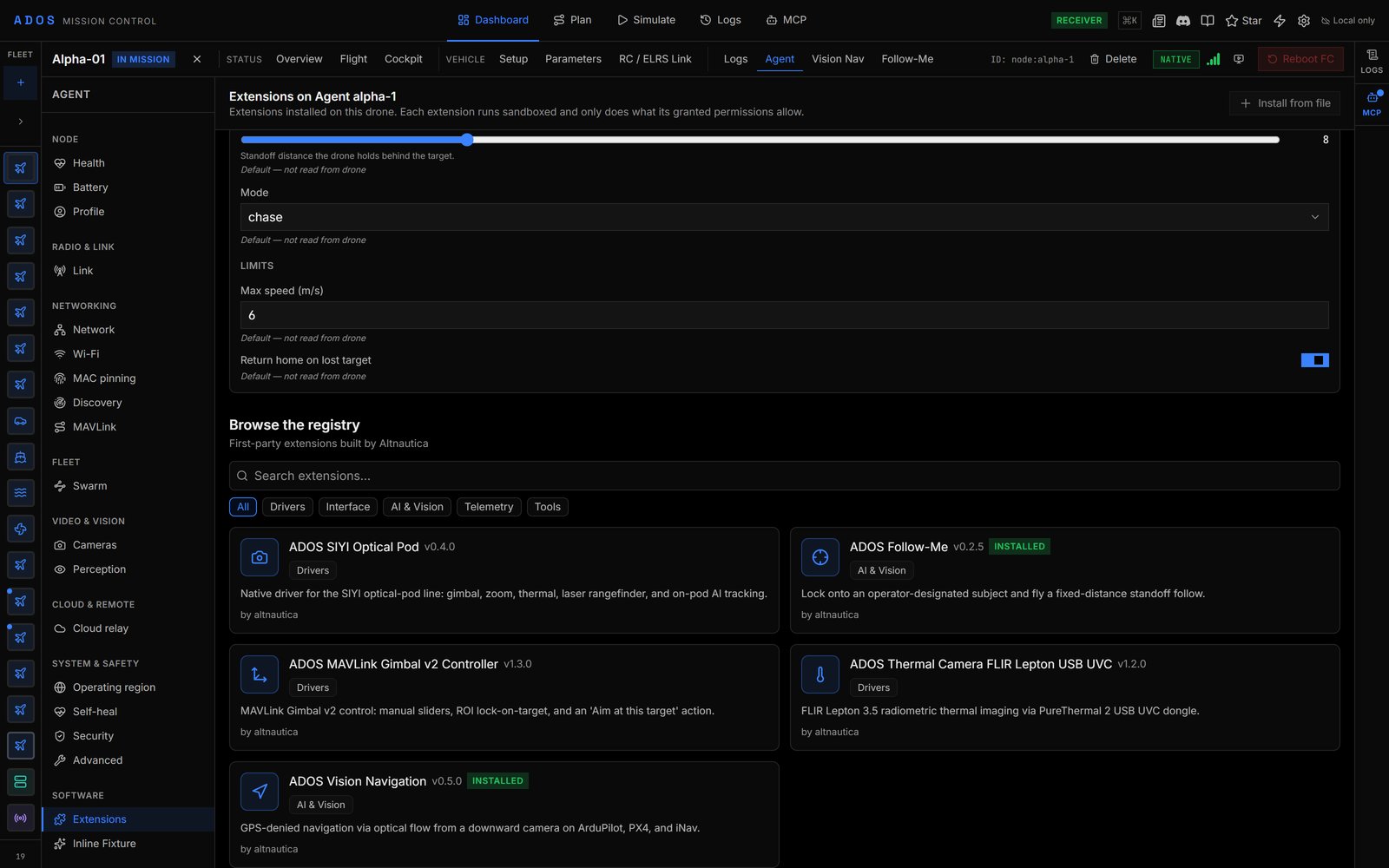
The catalog grid in a node's Extensions tab.
Install by id
ados plugin install <id> installs a built-in plugin or a first-party catalog entry by id, at the catalog’s version. There is no @version syntax. ados plugin info <id> prints the manifest summary and runtime state.
Automatic updates
Once a day the agent compares every enabled install with the newest version the registry publishes:
The whole cycle is deferred while the vehicle counts as armed (unknown or stale state counts as armed). Control it per plugin:
Registry API
The registry is served from the Convex backend’s HTTP routes:/v1/revoked.json returns:
Submit a plugin
Third-party submission is not open. This section describes the endpoint as it ships.POST /v1/plugins/submit takes a multipart/form-data body and a bearer token that resolves to a registry user. Required fields: archive, plugin_id, version, category, manifest_yaml, signature, signer_key_id, payload_hash and agent_min_version. Optional: archive_sha256, name, description, license, homepage_url, repo_url, agent_max_version, gcs_min_version. category must be one of drivers, ui, ai, telemetry or tools; anything else returns 400.
scripts/submit.sh in ADOSExtensions derives every required field from a signed archive and sends it:
curl:
id, license, homepage.
Review
The registry scans the first 256 KiB of the archive for a short list of dangerous patterns (eval(, exec(, __import__(, subprocess calls, os.system() and scores it at 100 minus 20 per finding. Run ados plugin lint locally for the fuller check.
Every submission waits for the registry operator; nothing auto-publishes. The registry stores your signature as submitted; it is verified on each agent at install against that agent’s trusted keys. The verified-publisher badge is set by the registry operator. To pull a version, contact the registry operator.
Next steps
Revocation and incidents
Revoke a signer, an archive or a release.
Legal and licensing
Licences and distribution channels.