

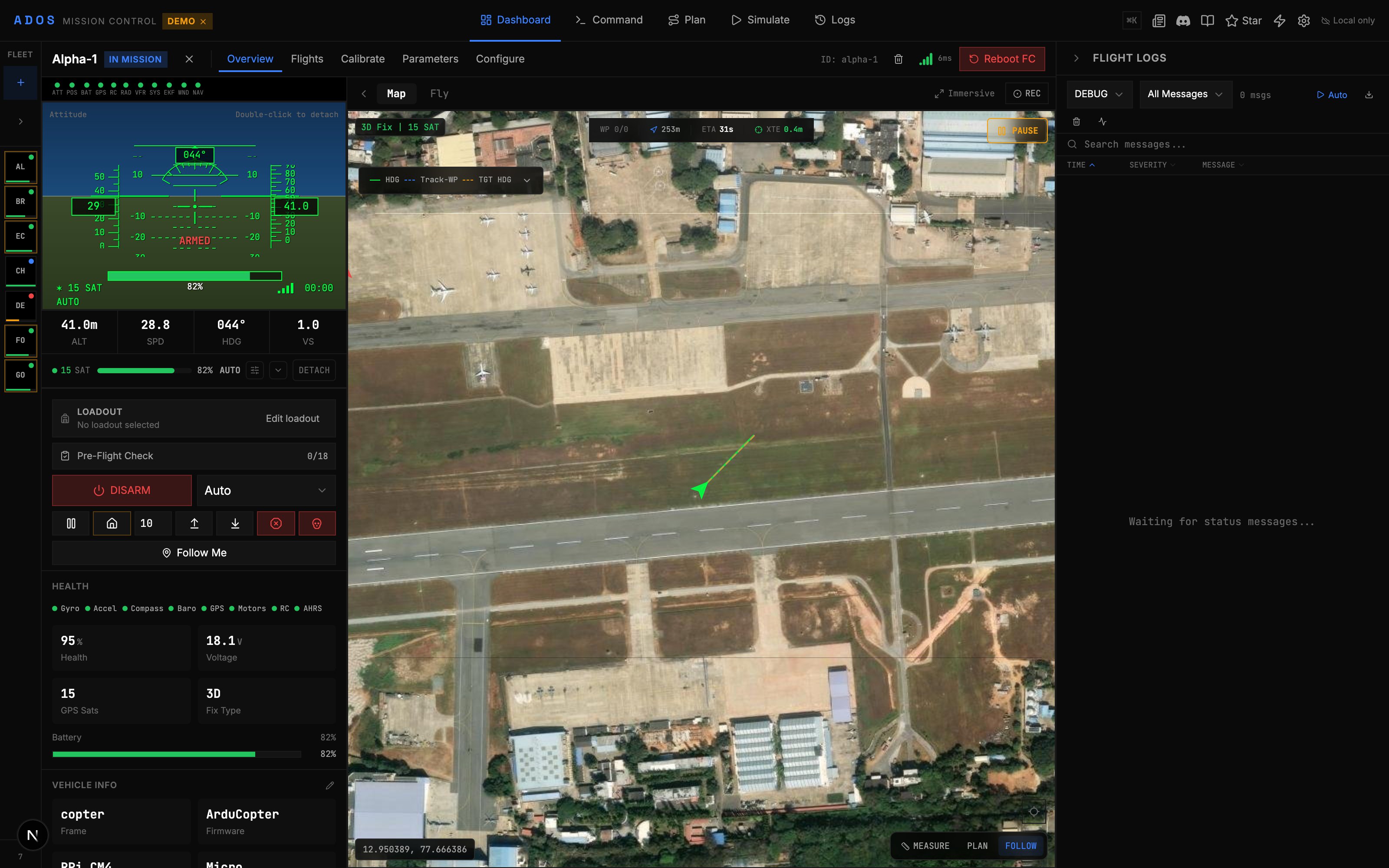
ADOS Mission Control dashboard with live drone telemetry
Why Mission Control?
Traditional GCS tools are desktop-only, platform-locked, and built for a single firmware. Mission Control takes a different approach.- Runs in any Chromium browser. Chrome, Edge, Brave, or the Electron desktop app. No install required for the web version.
- Four firmware families. Full support for ArduPilot and PX4 via MAVLink v2. Full MSP v1/v2 support for Betaflight and iNav.
- Real flight controls. Gamepad and HOTAS input at 50 Hz with
MANUAL_CONTROLmessages. Keyboard shortcuts for guided mode. - Mission planning. Waypoints, 9 pattern generators, terrain following, geofence editor, rally points, and KML/CSV import/export.
- Video. WebRTC with a 4-mode transport switcher (LAN, P2P via MQTT signaling, Auto cascade, or Off).
- Open source. GPLv3 license. Self-host the backend, fork the code, contribute upstream.
Feature Highlights
60+ Configuration Panels
Flight modes, failsafes, PID tuning, power monitoring, OSD editor, serial ports, sensors, gimbal, camera, LED, VTX, CAN bus, and more.
83 MAVLink Decoders
Binary MAVLink v2 parsing with CRC validation. 34 MSP decoders for Betaflight, 65+ MSP2_INAV decoders for iNav. 33 MAV_CMD command handlers.
9 Calibration Wizards
Step-by-step wizards for accelerometer, gyro, compass, level, RC, ESC, airspeed, barometer, and CompassMot.
3D Mission Simulation
CesiumJS globe with flight path replay, playback controls, camera trigger markers, geofence volumes, and rally point visualization.
Firmware Flashing
Flash ArduPilot, PX4, Betaflight, or iNav firmware over WebSerial. Board auto-detection and DFU mode support.
16 Languages
English, German, Spanish, French, Hindi, Gujarati, Kannada, Marathi, Punjabi, Tamil, Telugu, Indonesian, Japanese, Korean, Portuguese, and Chinese.
Supported Firmware
Browser vs Desktop
Mission Control works in two modes. Browser (recommended for most users) Openhttp://localhost:4000 after running the dev server. WebSerial for USB connections requires Chrome 89+ or Edge 89+. No install needed beyond Node.js.
Electron Desktop App
A standalone application built on Electron 35. Same features as the browser version, packaged as a native app for macOS, Windows, and Linux. Useful when you want a dedicated window and system tray integration.
Demo Mode
Try Mission Control without any hardware. Demo mode simulates seven drones across ArduPilot, PX4, and iNav, with realistic telemetry, flight modes, and GPS tracks.http://localhost:4000 and the dashboard fills with fourteen simulated aircraft plus a workstation node and a ground-station node. All panels, calibration wizards, and mission planning tools work in demo mode.
Tech Stack
Next Steps
Install
Set up your development environment.
Connect
Connect to your flight controller.
Fly
Take manual control with a gamepad.