

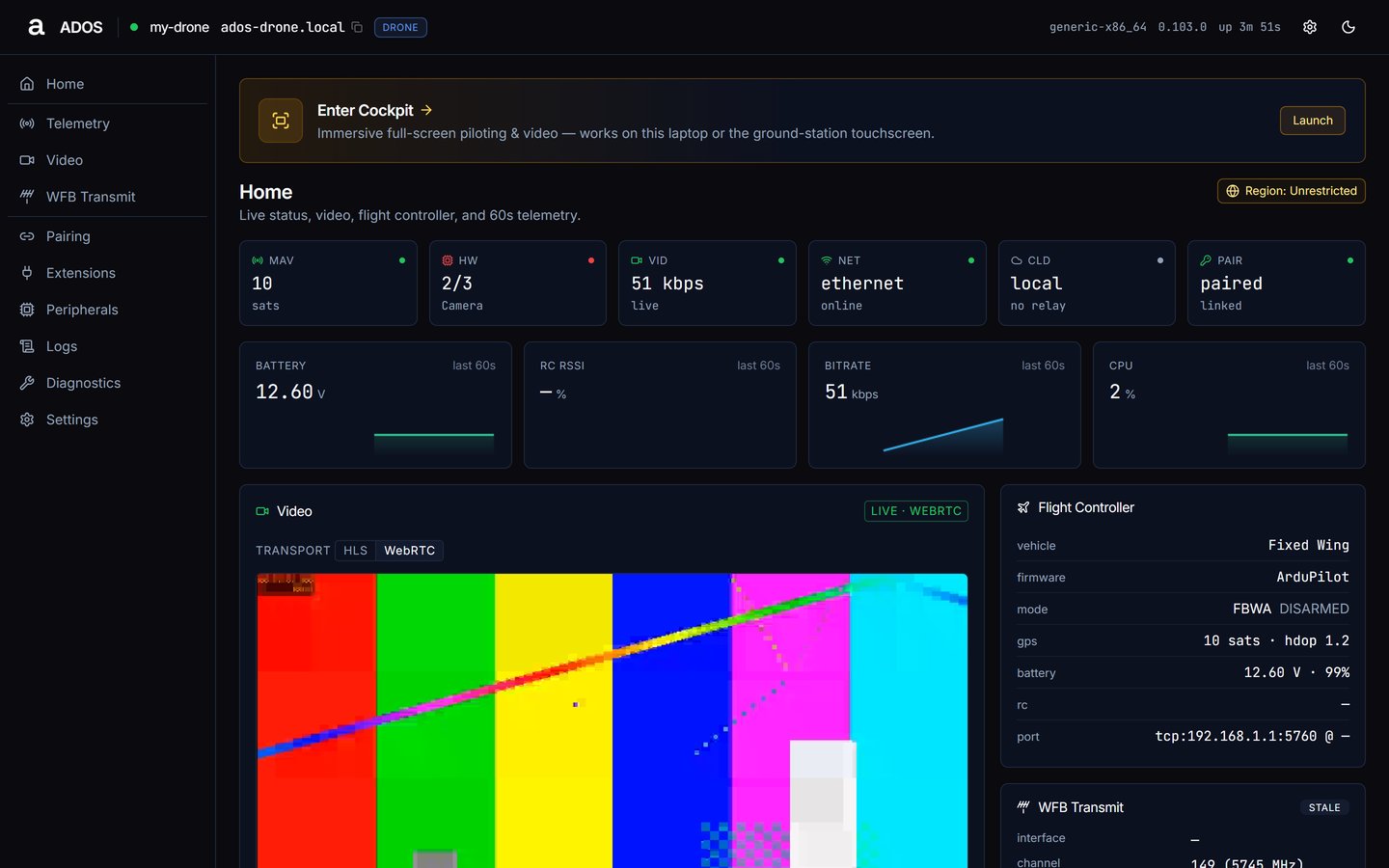
The drone node dashboard home: status tiles, video, flight controller, hardware and services.
What it does
- MAVLink proxy. Connects to your flight controller over serial and forwards MAVLink to WebSocket and TCP clients, so your ground control station and the cloud share one serial link. See MAVLink proxy.
- Video pipeline. Detects your camera (CSI, USB or a network source), encodes H.264 or H.265 in hardware where the board has an encoder, serves it through a local MediaMTX server, and can transmit it over WFB-ng for long-range HD video. See Video pipeline.
- Cloud relay. Opt-in and off by default. It posts a 5 s heartbeat and polls commands over Convex HTTP, relays raw MAVLink over MQTT (WSS 443), and relays WebRTC signaling so a remote browser can reach the drone. On the same LAN, Mission Control connects directly. See Cloud relay.
- Service supervisor. Runs each job as its own systemd unit with automatic restart and memory limits, and starts only the units your node profile needs. See Systemd services.
At a glance
Architecture at a glance
The agent is a set of processes managed by systemd.ados-supervisor is a Rust orchestrator that starts and monitors the other units. The main ones on a drone:
/run/ados/mavlink.sockcarries raw binary MAVLink frames (4-byte length prefix plus payload)./run/ados/state.sockcarries the vehicle state as length-prefixed msgpack (state.v2, 4-byte big-endian length, body{v, s}), about 10 Hz.
Hardware detection
At install and at boot the agent identifies the board from an optional/etc/ados/board_override, the device-tree compatible string and model, then /proc/cpuinfo, and loads the matching profile from 21 YAML board profiles. Each profile describes the SoC, buses, video encoders, GPIO and attached hardware. A board with no profile falls back to generic-arm64 or generic-x86_64.
Which services run is decided by the node profile, not by the board. Each board profile also declares a default compute tier, which only matters for extensions that set a minimum tier. See HAL and tiers.
One codebase, four profiles
The same agent installs as one of four profiles:drone: the companion computer on the aircraft. Runs the flight controller link, camera, video transmit and cloud relay.ground_station: a ground-side board that receives WFB-ng video, runs a Wi-Fi hotspot, serves video to a laptop or phone, and can drive an HDMI display and a status screen. See Ground Agent overview.workstation: a desktop or laptop node for local compute and the World Engine extension. It has no flight controller link.compute: a headless compute node for offloaded work, also without a flight controller link.
drone or ground_station; ties fall back to the last recorded profile. You can also set the profile at install time with --profile. See Node profiles for what each profile runs.
Interfaces
- Web dashboard (port 8080): status, telemetry, video, pairing, extensions, logs, diagnostics and settings; first-run setup steps appear until complete. See Dashboard.
- CLI (
ados): a terminal status page, scriptable status, update and uninstall, plus subcommands for hardware, logs, network, plugins, profile, radio and diagnostics. Works over SSH. See Agent CLI reference. - REST API (port 8080): served by the native Rust front, which forwards the remaining routes to the residual Python API. Authenticated routes use
X-ADOS-Key. See REST API. - Mission Control: the ground control station for maps, video, mission planning, hardware management and fleet operations. See Mission Control overview.
Next steps
Supported hardware
Check which boards and radios the agent supports.
Install Drone Agent
Install the agent on your companion computer.
Node profiles
See what each of the four profiles runs.
Systemd services
The full unit list and how the supervisor runs it.