

ADOS uses “pairing” for three separate things. A ground station normally needs the first two.
- Mission Control pairing gives one Mission Control owner an API key for the node. See Pairing.
- Air-link pairing (WFB-ng bind) exchanges radio keys between a drone and a ground station. See WFB-ng pairing.
- Mesh pairing joins a relay to a receiver in a ground mesh. See Build a mesh.
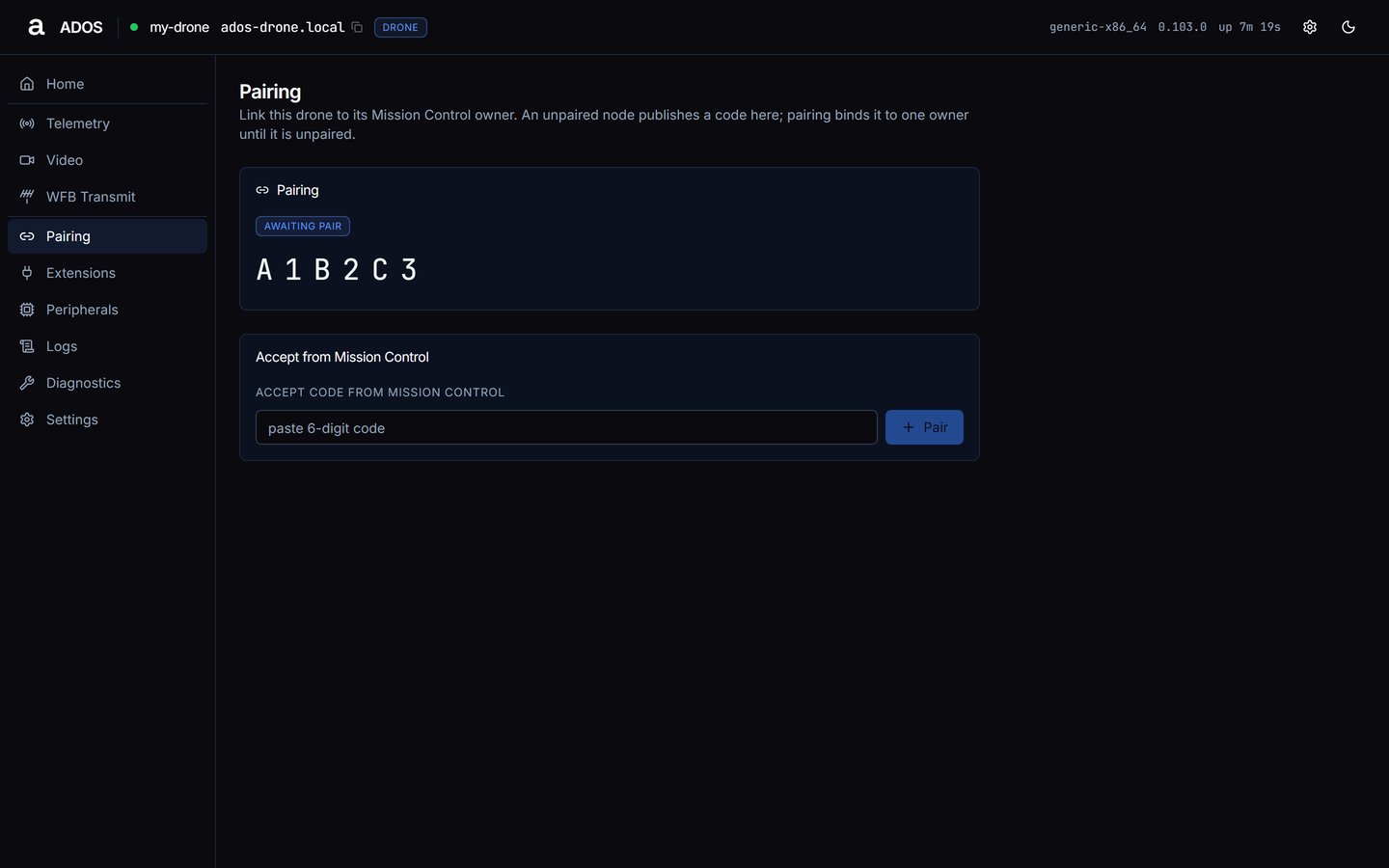
Pairing on an unpaired drone, opened from its LAN.
Pairing
The Pairing card shows one of two states:- paired: the owner id and the time it was paired, plus an Unpair button.
- awaiting pair: the pairing code. The code is reported only while the node is unpaired, and only to a browser on the node’s own networks. Elsewhere the card reads “The code is shown only on this node’s own networks. Open the dashboard from the node’s LAN, hotspot or USB link to read it.”
- Local only (default): in Mission Control open Pair New Node and enter the node’s hostname or IP. Until then the PAIR tile on Home reads
n/a · local mode. - Altnautica relay or self-hosted: enter the code from this page in Mission Control, or use Accept from Mission Control below.
Accept from Mission Control
Shown only while the node is unpaired. Paste the code Mission Control shows into Accept code from Mission Control and press Pair. This works in a cloud or self-hosted posture only. In local mode the agent refuses withno_backend and tells you to pair directly from Mission Control by hostname or IP instead.
Phone receivers (ground station)
On a ground station the page adds a Phone receivers card. A phone with its own radio asks the ground station for the fleet receive keys, and nothing is shared until you approve it. Approve a phone only when the fingerprint shown matches the one on its screen. A phone receives video and telemetry; it never transmits. Each waiting phone has Approve and Reject buttons; with none waiting the card reads “No phone is waiting for approval.”Unpair
Press Unpair and confirm Unpair this drone? (or Unpair this ground station?). Mission Control loses access until the node is paired again, and this dashboard asks for its PIN again.Data sources
Troubleshooting
No code is shown
No code is shown
The node is already paired, or your browser is not on the node’s own network. Open the dashboard from the node’s LAN, hotspot or USB link. A local-only node pairs from Mission Control by hostname or IP and needs no code.
Accept says This device is already paired
Accept says This device is already paired
Unpair first, then accept the new code.
Next steps
Telemetry
Edit FC parameters and read live sensors (drone).
WFB Receive
Receive-side link status (ground station).