

/peripherals: registered peripheral manifests with live connection state. Plug a known device and the agent picks it up automatically. Raw hardware detection lives in Home → Hardware.
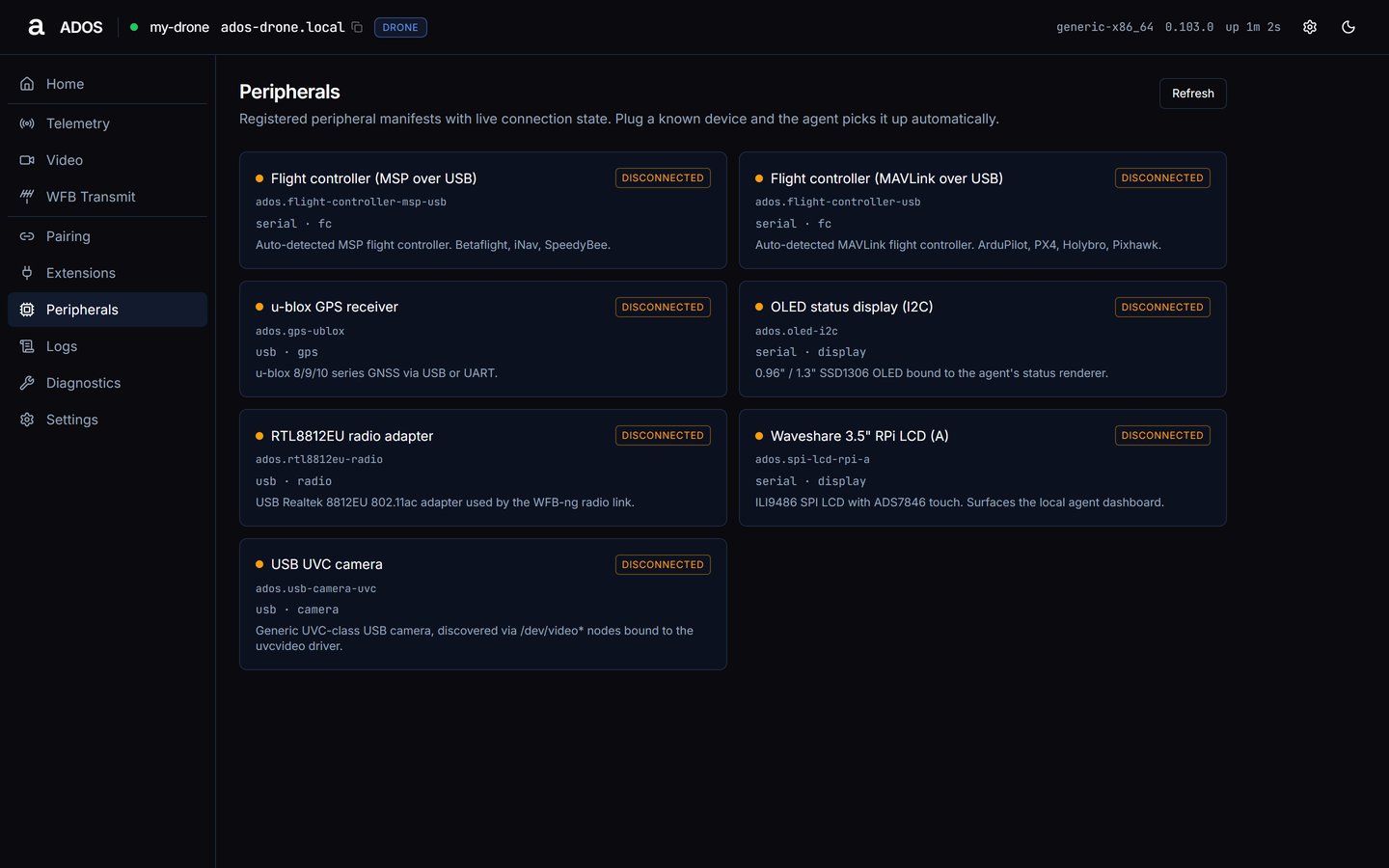
Peripherals with a registered device.
Card fields
Each registered peripheral is one card:- a status dot and the display name;
- a state badge: connected, disconnected, missing, error or unknown;
- the peripheral id;
- a detail line:
transport · kind · vendor · category; - the description;
last seenwith the time since the agent last saw it.
/etc/ados/peripherals/*.yaml; install a peripheral plugin and it appears here.
Data sources
Also available, not used by this page:
GET /api/v1/peripherals/{peripheral_id} and POST /api/v1/peripherals/{peripheral_id}/action. A peripheral action is refused while the vehicle is armed (see Safety interlocks).
Troubleshooting
A device is plugged in but not listed
A device is plugged in but not listed
A device appears only when a manifest describes it. Check Home → Hardware for raw detection.
Next steps
Logs
Live agent log rows.
Home
The Hardware panel and Rescan.