

/telemetry. It has two tabs. Parameters (the default) edits the FC parameters. Sensors shows live attitude, battery, GPS, mode and armed state.
For Betaflight and iNav the browser reads the FC directly over the transparent MSP proxy on port 8765; the agent forwards MSP bytes and decodes none. ArduPilot and PX4 use the agent’s parameter cache and GET /api/telemetry.
Parameters
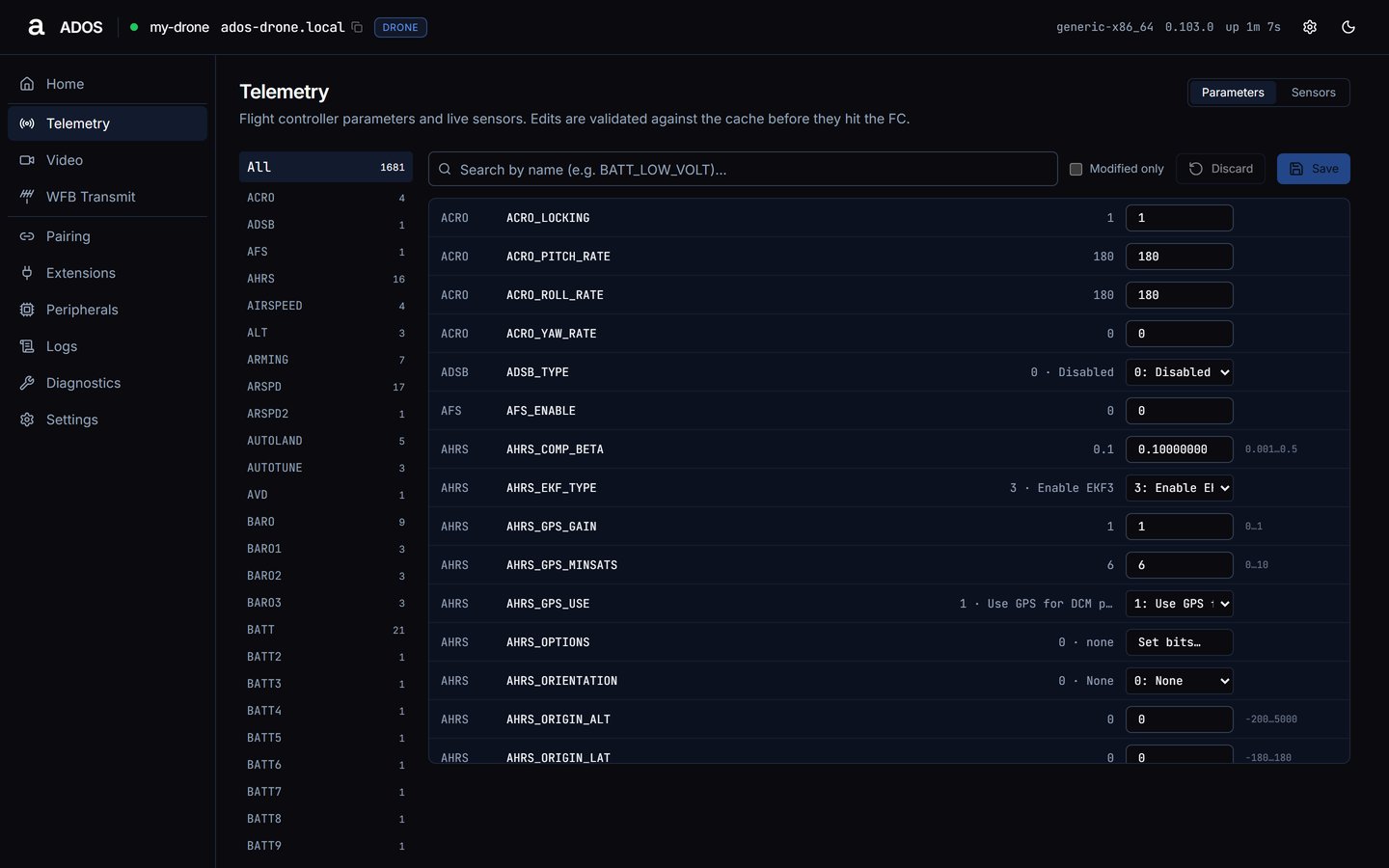
Parameters tab with the cache loaded and the vehicle disarmed.
1
Find the parameter
Type in Search by name (a case-insensitive match on the name only), or pick a category.
2
Edit
Use the number field, the enum dropdown, or Set bits… for bitmasks. Edited rows highlight; Modified only filters the table to your drafts.
3
Save
Press Save N, then Save all in the Save N parameters? confirm. The agent writes each parameter and waits for its PARAM_VALUE echo, up to 2 s per parameter. ArduPilot and PX4 store a parameter on write; there is no separate flash step.
4
Discard
Discard drops every draft.
Sensors
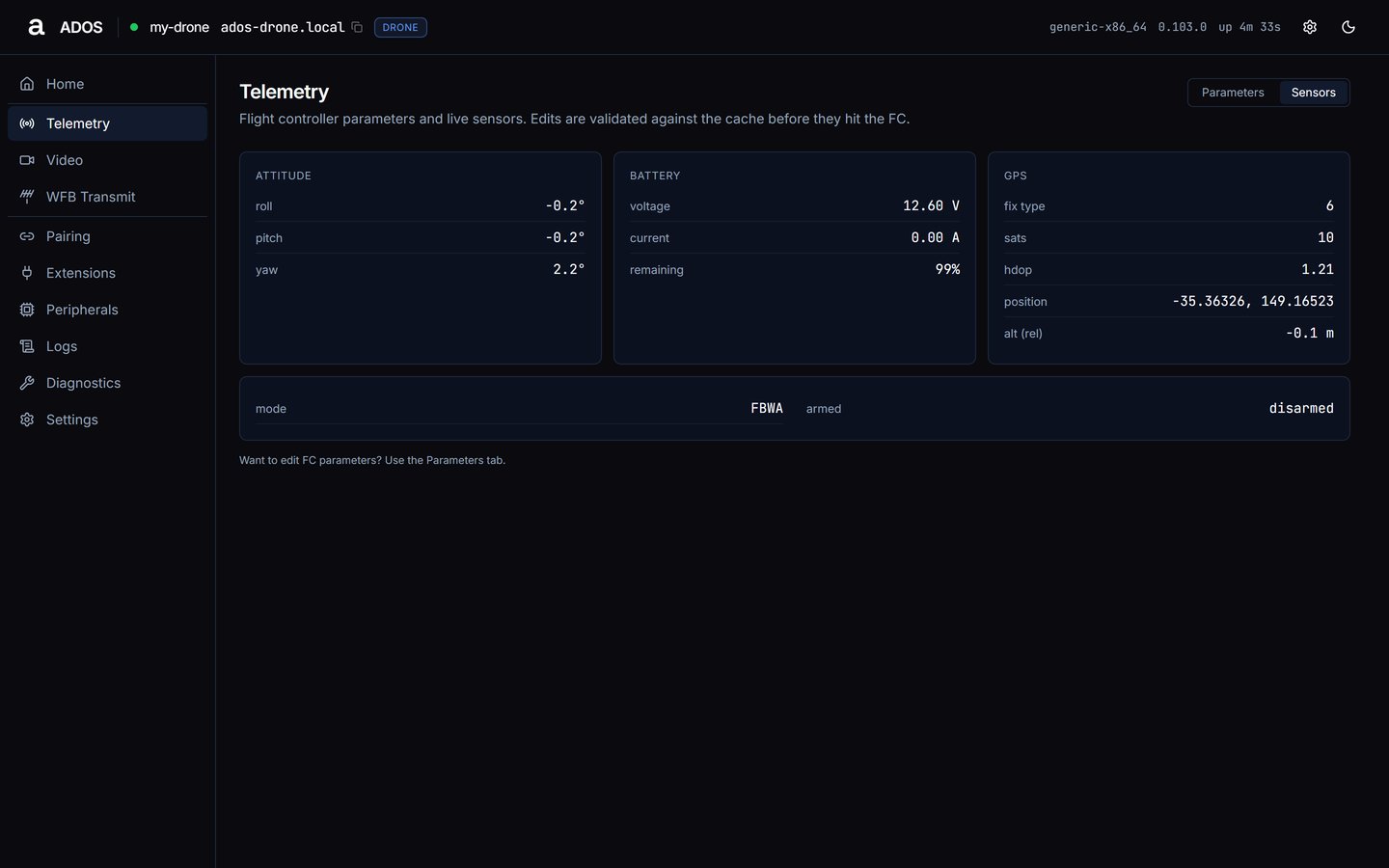
Sensors tab on an ArduPilot drone.
GET /api/telemetry once a second:
Data sources
Troubleshooting
The table stays empty
The table stays empty
The page shows its loading state while it waits:
- loading parameters…: the first fetch is in flight.
- Priming parameter cache from FC… X of Y parameters received.: the FC is streaming its table; wait.
- Couldn’t reach the flight controller.: the agent could not send PARAM_REQUEST_LIST, or the FC did not answer within 30 seconds. Check the FC serial cable, baud rate and power.
- No parameters cached yet.: the cache is empty. Check the MAV tile on Home.
Save reports failed or pending parameters
Save reports failed or pending parameters
Each failure shows a toast
<NAME>: failed, then a summary “Saved X, Y failed, Z pending FC ack.” A pending parameter was sent but the FC had not echoed PARAM_VALUE within 2 s; it may still apply under heavy load. Reload the table to confirm.Save stays disabled
Save stays disabled
The vehicle is armed, or the FC has not reported its armed state yet. Disarm, and check the Flight Controller panel on Home.
Next steps
Video
Live stream, encoder and link tuning.
Safety interlocks
What the agent refuses while armed.