

com.altnautica.vision-nav. It lets a drone hold position when GPS is weak or missing: indoors, under a bridge, between tall buildings. A downward camera tracks the ground, the flight controller’s gyro removes the drone’s own rotation, and the result reaches the flight controller as an optical-flow measurement about 30 times a second. Position hold, loiter and missions then keep working through the flight controller’s own estimator.
The extension does optical flow only. It does not estimate a full pose, does not run visual-inertial odometry and does not inject a position.
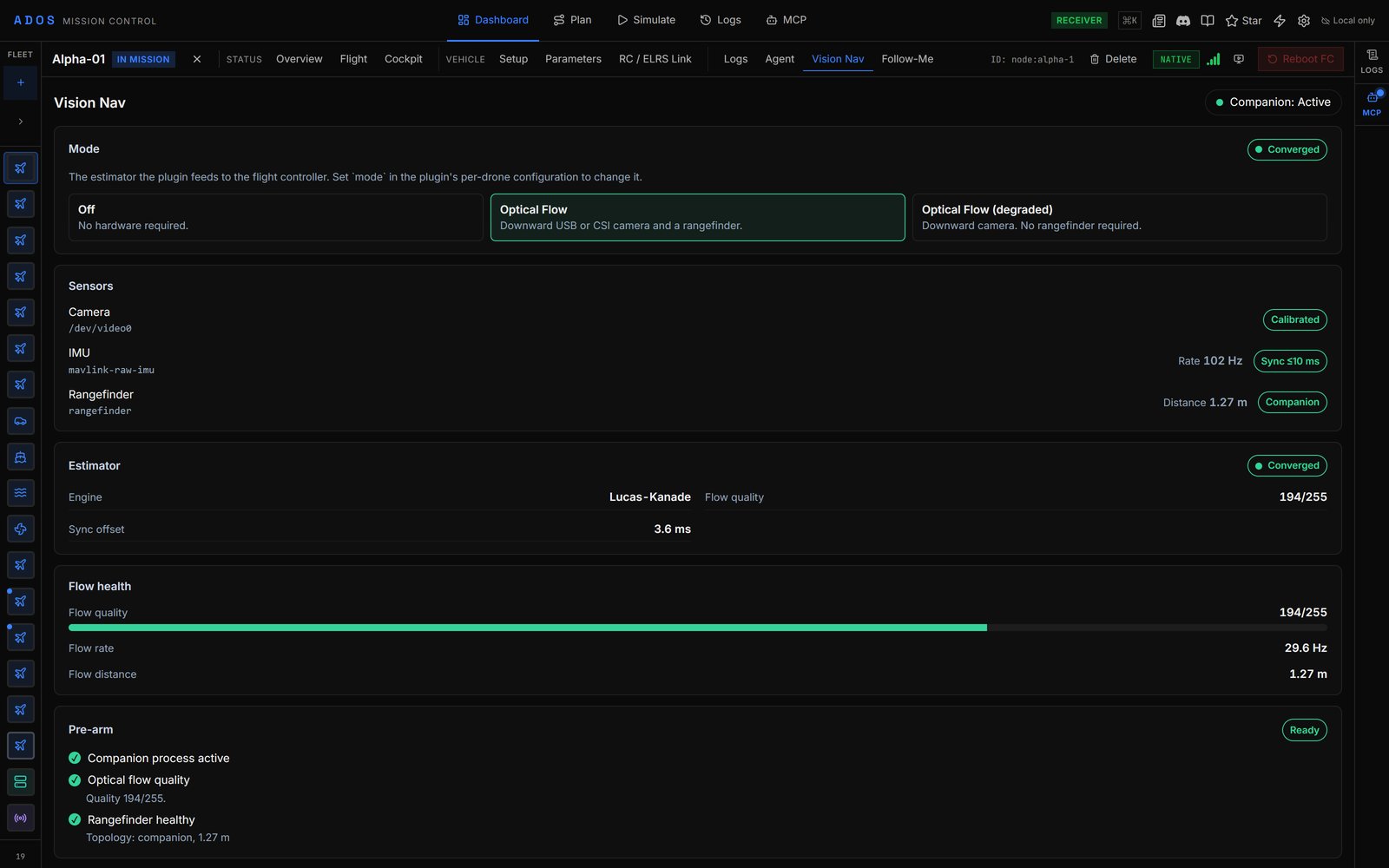
The Vision Nav tab on a drone in optical_flow mode.
What it is for
Two flights cover what the extension is built for.- GPS-denied hover with a rangefinder. A downward camera plus a rangefinder at low height over textured ground. The rangefinder gives the metric scale, so this is the most accurate setup. Use the
optical_flowmode. - GPS-denied hover without a rangefinder. The same camera, with scale taken from the flight controller’s barometric height instead. It drifts more, and above about 5 m the drift grows quickly. Use the
optical_flow_degradedmode.
Modes
The mode is a per-drone config key, not a picker in the Vision Nav tab. See Modes and fallback.
How it works
- Capture. The agent’s vision host captures the camera and publishes frames on the shared vision frame bus. The plugin never opens the camera itself.
-
Flow. Each new frame is paired with the previous one and with the gyro sample taken at the same instant (from the flight controller’s
RAW_IMU, which the plugin asks for at 100 Hz). A Lucas-Kanade tracker measures how far the ground moved. -
Scale. The rangefinder, or the scale ladder in
optical_flow_degraded, gives the distance to the ground. -
Emit. The plugin sends the measurement to the flight controller on MAVLink component 198. The message depends on the firmware set in the plugin config:
- ArduPilot and iNav get
OPTICAL_FLOW(#100) with the raw angular rate in theflow_rate_xandflow_rate_yextension fields. - PX4 gets
OPTICAL_FLOW_RAD(#106) with the angle swept over the interval and the gyro rotation over the same interval.
-1. When the rangefinder is wired to the companion, the plugin also sendsDISTANCE_SENSOR(#132). It keeps aTIMESYNCexchange and a 1 Hz companionHEARTBEATrunning on the same component. - ArduPilot and iNav get
-
Report. Once a second the plugin publishes a
navigationblock on the agent heartbeat: mode, estimator state, flow quality and rate, scale source, sync offset and the pre-arm report. The Vision Nav tab in Mission Control renders it.
degraded; a degraded or failed streak of 2 s turns the companion CRITICAL. If no frame arrives for 2 s, the estimator reports failed and the companion goes CRITICAL. Losing frames or getting them back publishes the navigation block at once, so the Vision Nav tab shows the change without waiting for the next 1 s publish.
Supported hardware and firmware
- Companion boards: the boards in the extension’s manifest, listed in the Extensions catalog. The agent refuses the install on any other board.
- Flight controllers: ArduPilot 4.5 and newer, PX4 1.14 and newer, iNav 7.0 and newer. Betaflight has no position estimator, so it can’t use optical flow.
- Cameras: a downward USB UVC or CSI camera (global or rolling shutter).
- Rangefinders: a TF-Luna on a companion serial port, or any rangefinder the flight controller already publishes as
DISTANCE_SENSOR.
Version requirements
The extension needs Drone Agent 0.99.125 or newer and Mission Control 0.56.0 or newer.Next steps
Hardware
Pick and mount the camera and rangefinder.
Install
Install and configure the extension on one drone.