

/settings/<section>; /settings opens Profile. The nav groups sixteen sections under five headers (Identity, Link & network, Video & vision, Cloud & remote, System & safety), and each section shows its one-line blurb under its name.
Profile visibility
Sections are filtered by profile like the pages are. A drone sees 15 sections and a ground station 11. While the profile is auto or one the dashboard has no pages for, every section shows.How changes save
Most sections hold edits as drafts until you press the section’s save button and confirm; an edited section shows “unsaved changes” and asks before you leave it. Some controls save at once: the log level (Advanced), the setup hotspot toggle (Network) and the Security toggles. Writes go throughPOST /api/v1/setup/apply and PUT /api/config, plus section routes for Wi-Fi, MAC pinning, cellular and the ground-station network. Profile, network, region and Wi-Fi changes are refused while the vehicle is armed; see Safety interlocks.
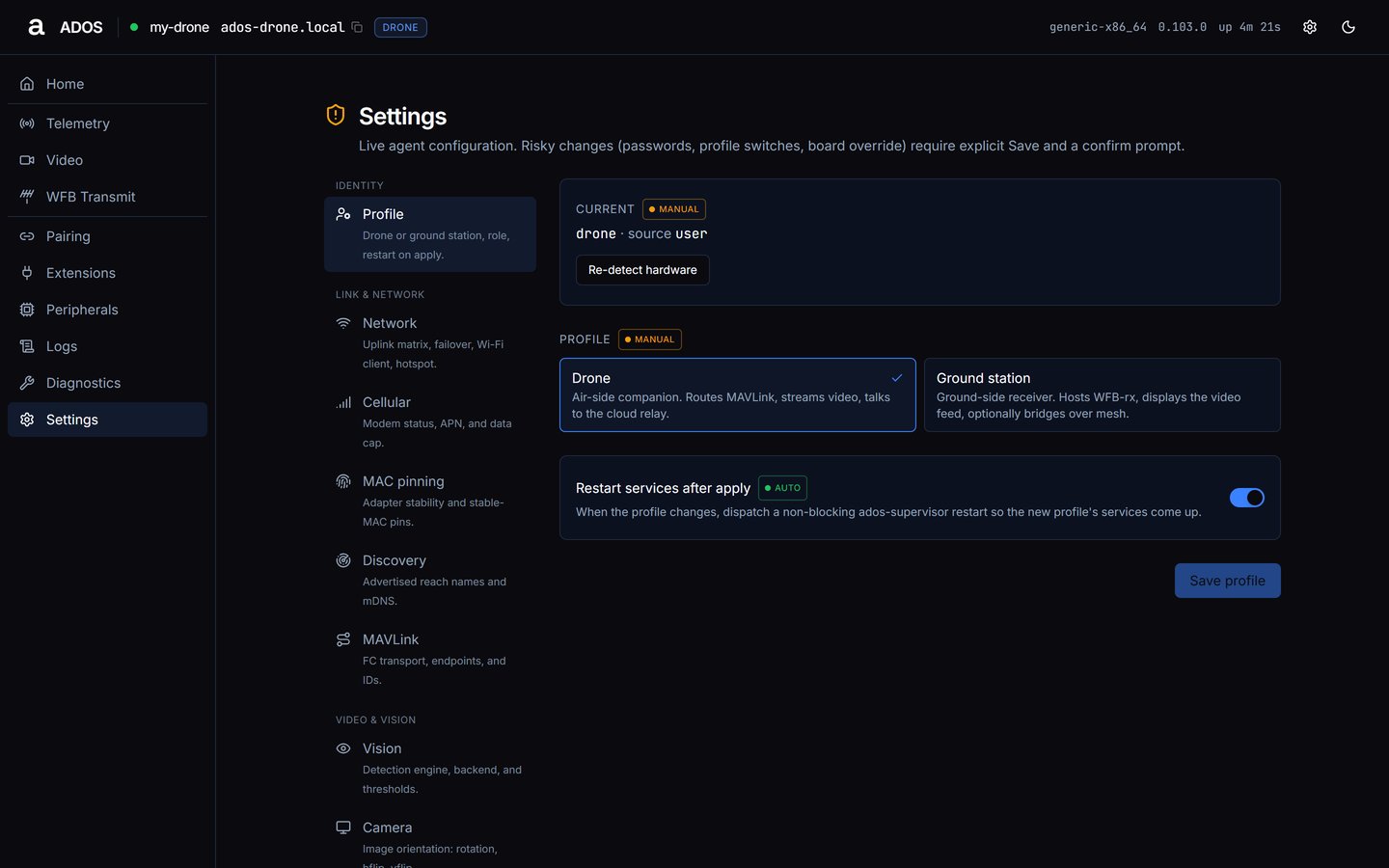
Settings → Profile with the grouped settings nav.
Identity
Profile
Drone or ground station, role, restart on apply.- Current:
<profile> / role <role> · source <profile_source>. The source is one of detected, tiebreaker, override, default or user. - Profile cards: Drone (“Air-side companion. Routes MAVLink, streams video, talks to the cloud relay.”) or Ground station (“Ground-side receiver. Hosts WFB-rx, displays the video feed, optionally bridges over mesh.”).
- Role cards: shown after you pick Ground station: Direct (“Single ground node receiving the drone link directly.”), Relay (“Forwards a drone link to another ground node, optional batman-adv bridge.”) or Receiver (“Aggregates streams from multiple relay nodes.”).
- Restart services after apply: on by default.
ados-supervisor when Restart services after apply is on; the dashboard reconnects in a few seconds. If the vehicle is armed, the dashboard asks Vehicle is armed and applies only after Apply anyway.
Link and network
Network
Uplink matrix, failover, Wi-Fi client, hotspot.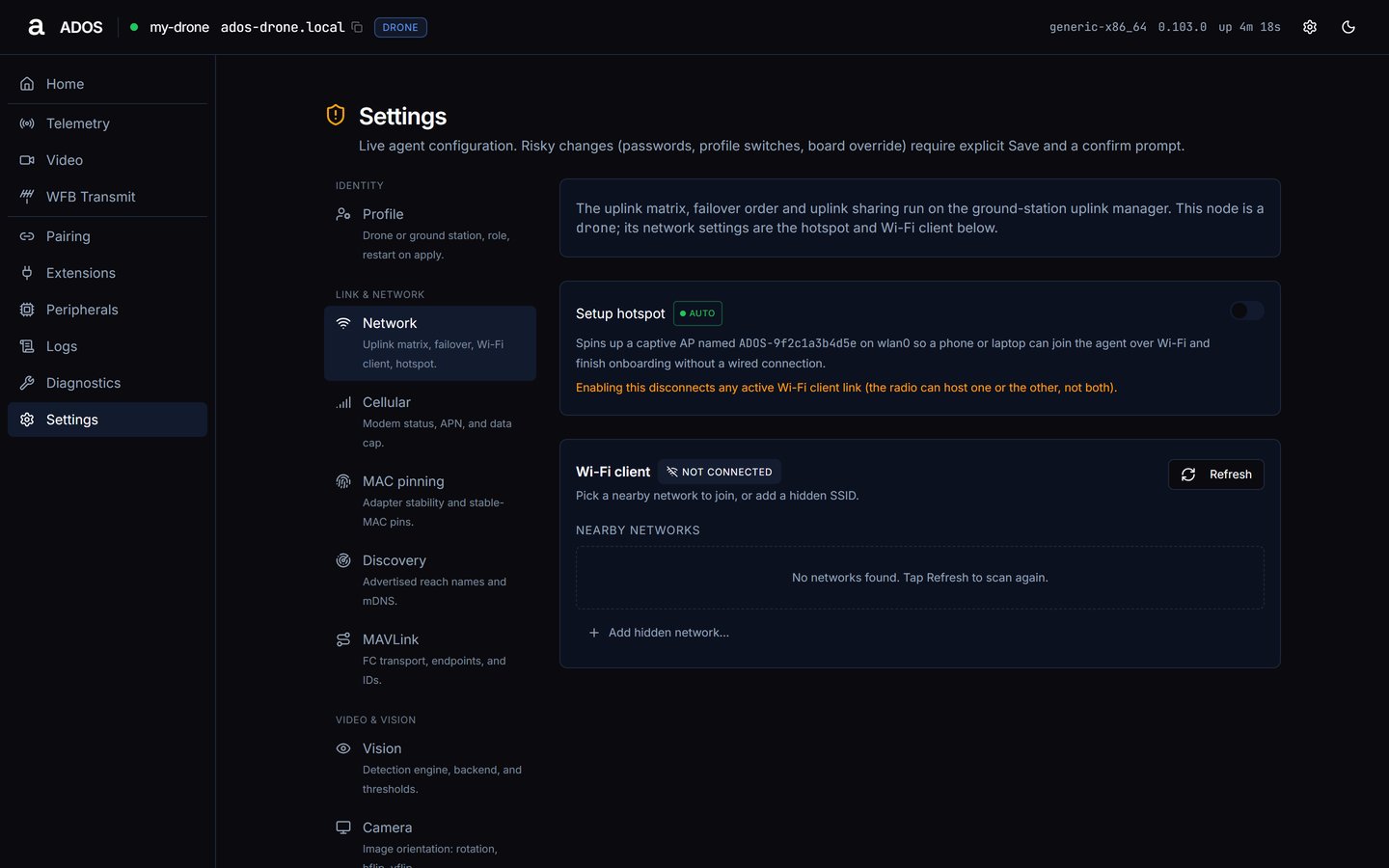
Settings → Network.
- Uplink matrix: the available uplinks and their failover order. See Uplink matrix.
- Setup hotspot: switches
wlan0to the setup access point after the confirm Switch wlan0 to setup AP?. Enabling it disconnects any active Wi-Fi client link. - Wi-Fi: scan, join, saved networks, forget and autoconnect.
Cellular
Modem status, APN, and data cap. The Cellular uplink switch turns the modem on or off. Status rows show presence, state, operator, technology, signal, IP and data used. Set the APN for your SIM and an optional Data cap (GB) (0 clears the cap).MAC pinning
Adapter stability and stable-MAC pins. Each adapter shows its chipset, current MAC, pinned MAC and source, with Auto-pin a stable MAC and Allow live re-tag switches.Discovery
Advertised reach names and mDNS. Shows how to reach this node (hostname, LAN host, LAN IPs, service type) and the Advertise over mDNS switch.MAVLink
FC transport, endpoints, and IDs. Pick the flight-controller transport (auto-discover and baud-probe, or a fixed serial port and Baud rate), and set the System ID and Component ID. See MAVLink proxy.Video and vision
Vision
Detection engine, backend, and thresholds: On-board detection engine (off by default), Inference backend, Confidence threshold, Models directory and Model cache cap (MB). The active detector model is chosen in Mission Control’s vision hub, not here. Inference backend choices:Camera
Image orientation: rotation, hflip, vflip. Rotate by quarter turns or upside down, and set Horizontal flip and Vertical flip.Swarm
Swarm participation and formation defaults: Swarm participation, Role, the default formation and Default spacing (metres). This section stores configuration only; no running service acts on it. See Swarm bus.Cloud and remote
Cloud
Altnautica relay, self-hosted, or local-only.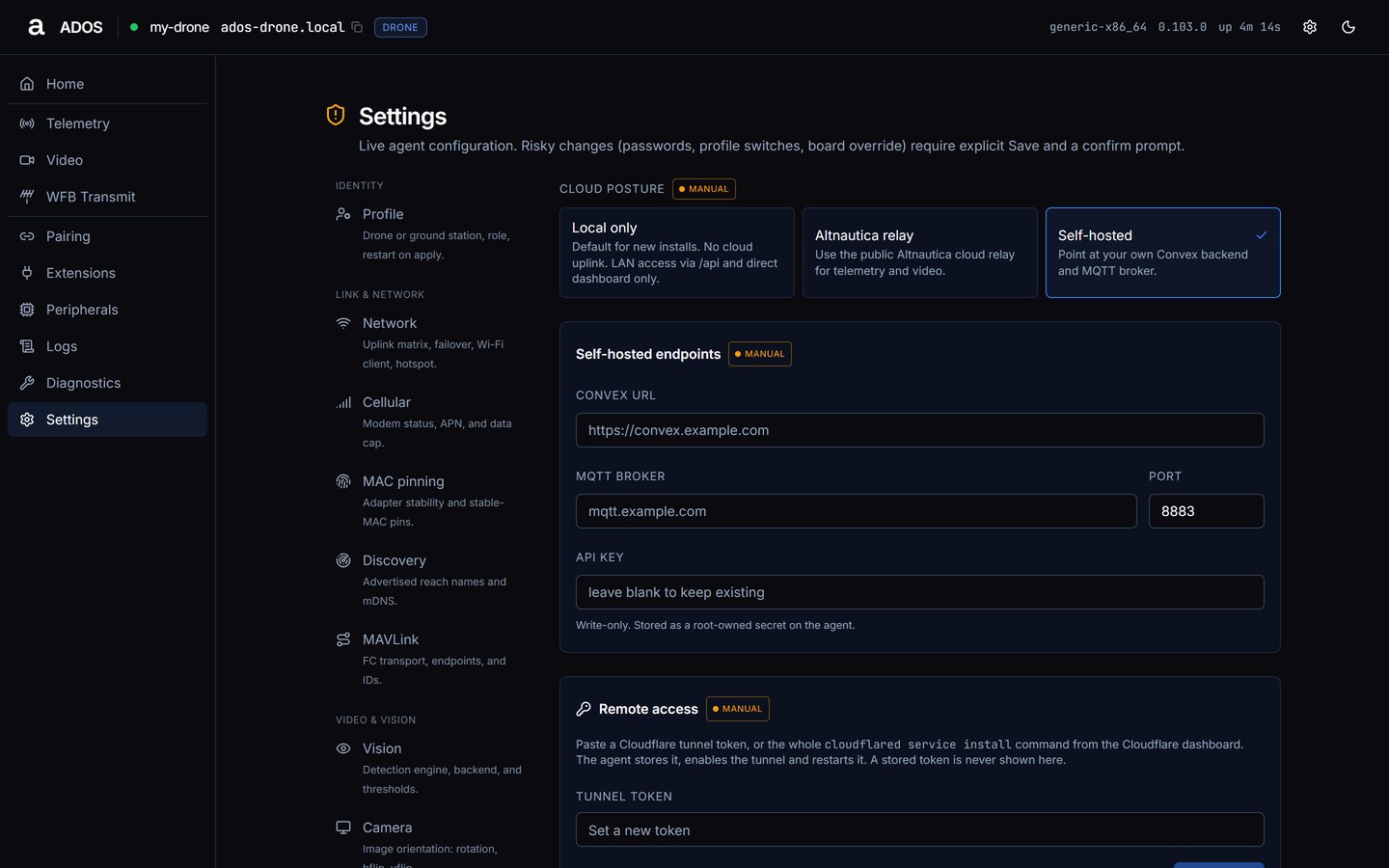
Settings → Cloud with Self-hosted selected.
- Local only (default): no cloud uplink. Mission Control reaches the node over the LAN.
- Altnautica relay: use the public Altnautica cloud relay for telemetry and video.
- Self-hosted: point at your own Convex backend and MQTT broker. Fields: Convex URL, MQTT broker, Port (default 8883) and API key, the self-hosted backend’s write-only key, stored as a root-owned secret.
cloudflared service install command from the Cloudflare dashboard, in the Tunnel token field. Press Set token: the agent stores it, enables the tunnel and restarts it. A stored token is never shown.
System and safety
Region
Operating-region RF posture: unrestricted or pinned. Unrestricted leaves local RF compliance to the operator. Pin a region enforces a single jurisdiction’s channel and power limits; pick a country or enter an ISO 3166-1 alpha-2 code. Press Save region and confirm Change operating region?. The radio re-reads this at the next restart. See Regulatory.Battery
Cell health, sag and time-to-reserve. Battery health monitoring evaluates cell, sag, temperature and time-to-reserve rules on every pack and logs each alert. Thresholds: critical cell (mV), cell divergence (mV), voltage sag (mV/s), temperature spike (0.1 °C/s), the reserve level and the prediction window (s). See Battery health.Self-heal
Onboard Wi-Fi and camera auto-recovery. Re-associate a dead onboard Wi-Fi link (on by default) with its Fail threshold (checks) and Cooldown (seconds), and Recover a wedged camera with optional Per-port power re-enable on a hub that exposes per-port power switching.Security
API key, MAVLink WS auth, dashboard PIN.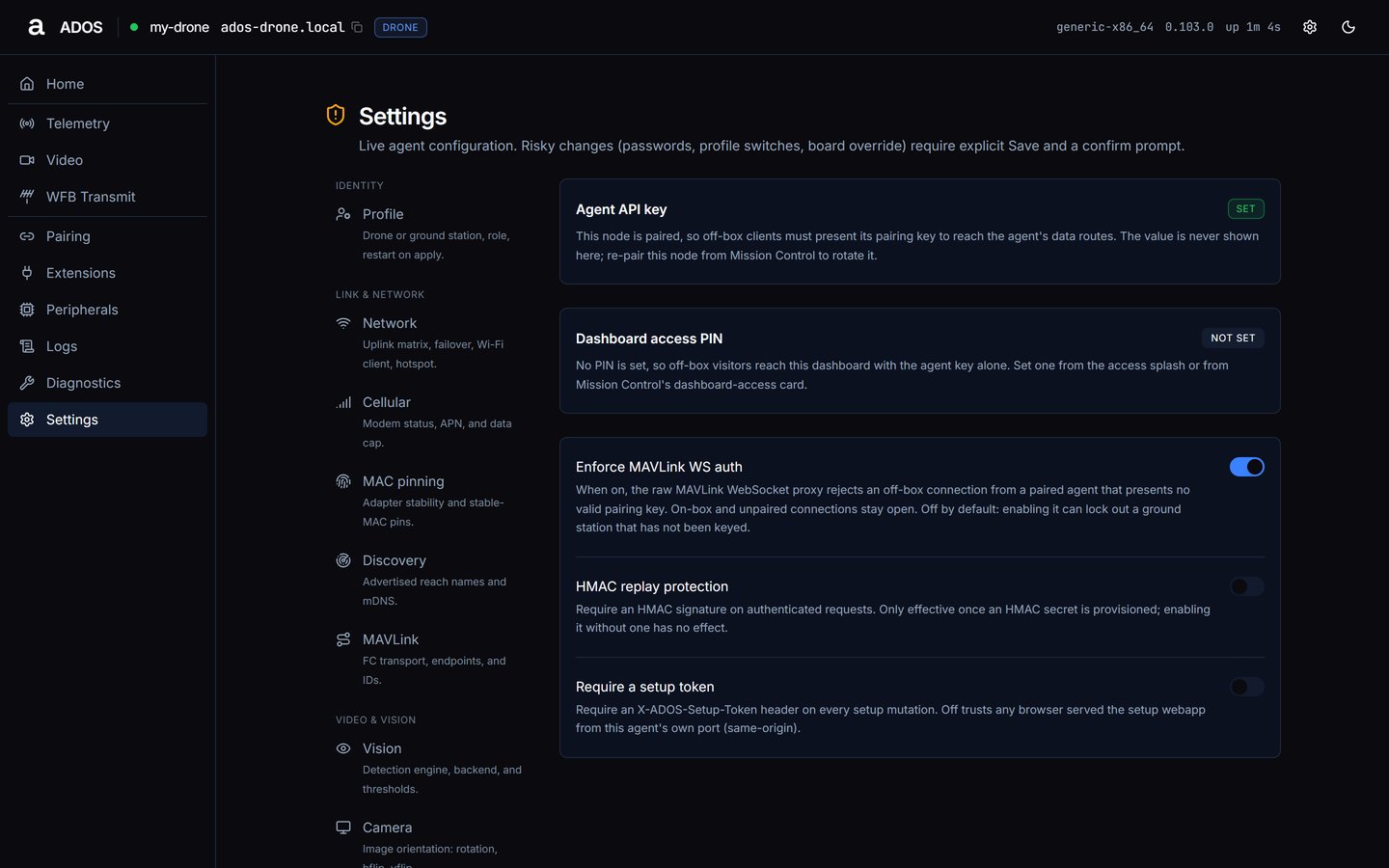
Settings → Security.
- Agent API key: whether the node holds a pairing key (read-only).
- Dashboard access PIN: whether a PIN is set. See Dashboard PIN.
- Enforce MAVLink WS auth: requires authentication on the MAVLink WebSocket, after the confirm Enforce MAVLink WS authentication?.
- HMAC replay protection and Require a setup token: switches that save at once.
Display
Ground station only. Local kiosk display selection: a read-only Local kiosk display card with the active display and the panels this board supports. Installing a panel needs a reboot and is not done from this page. See HDMI kiosk and Front panel.Advanced
Log level and board override.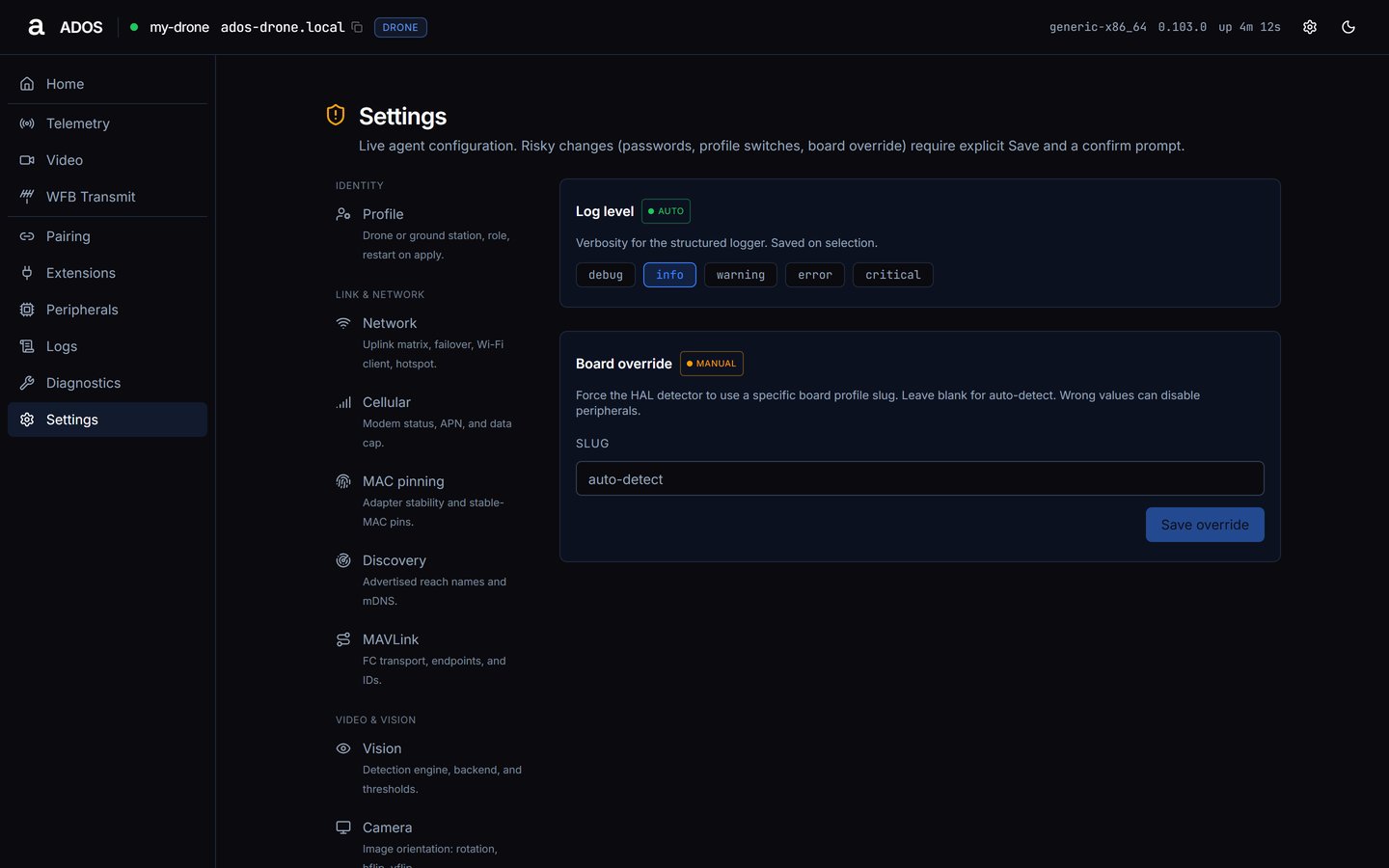
Settings → Advanced.
- Log level: debug, info, warning, error or critical; default info. Saved on selection.
- Board override: a board slug (empty means auto-detect). Press Save override and confirm Override the detected board?. See HAL and tiers.
Data sources
Next steps
Configuration
Every config key and its default.
Ground dashboard
The ground-station pages.