

/extensions: installed extension manifests. Toggle extensions on or off without restarting the agent.
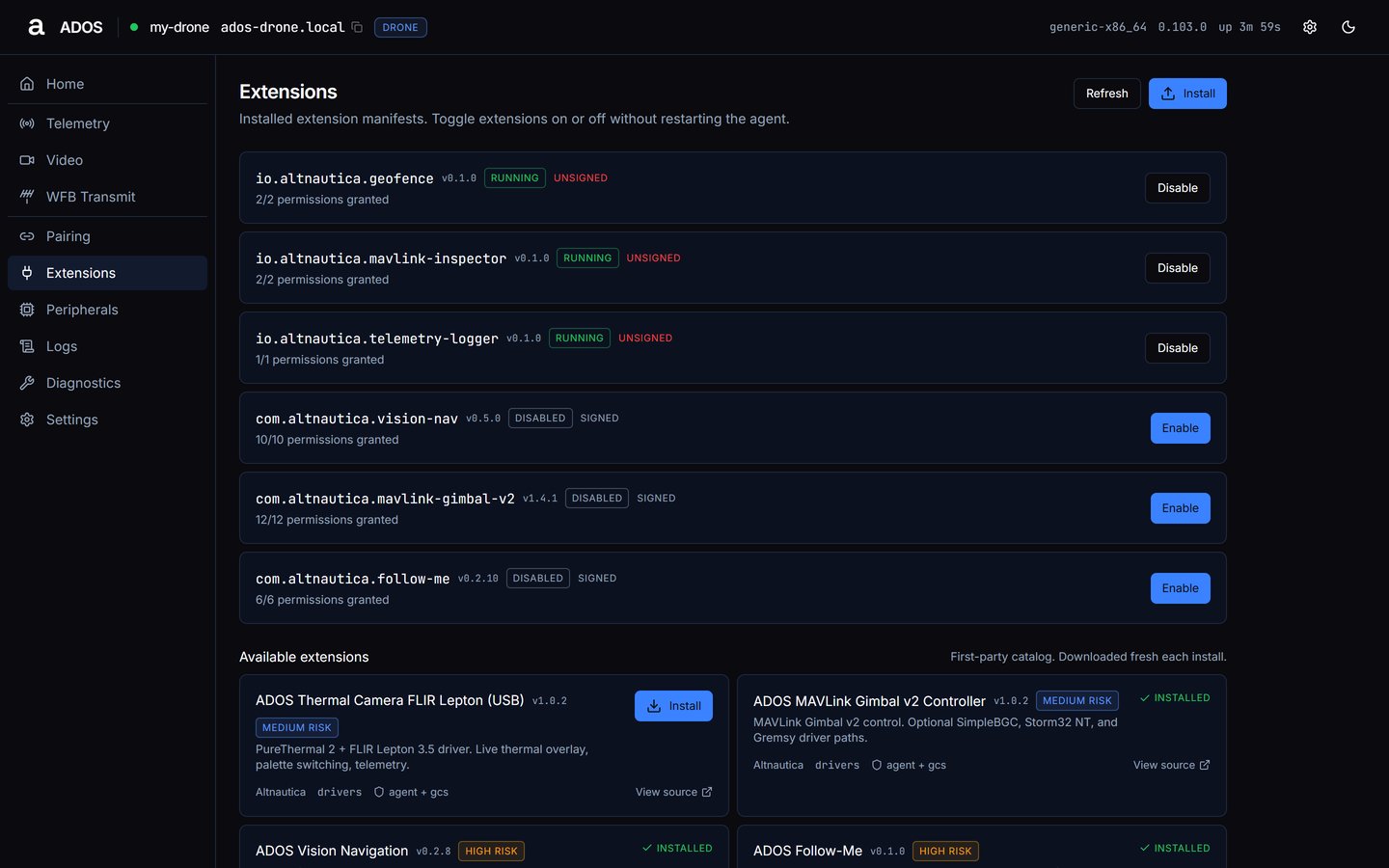
Extensions with installed rows and the Available extensions catalog.
Installed extensions
Each row shows the plugin id, version, status, signed or unsigned, how many permissions are granted (X/Y permissions granted), and one Enable or Disable button:
- Disable confirms that “The extension will stop processing immediately. Any background work is killed.”
- Enable confirms that “The extension will start with its declared capabilities.”
ados plugin.
Install
Drop a.adosplug file anywhere on the window, or press Install. The install runs in two stages:
1
Install extension
Shows the risk badge, signed or unsigned (with the signer), license and what the extension adds. Press Continue.
2
Approve permissions
Lists each permission with its grade, marked required or optional. A high or critical risk extension needs the box “I understand this plugin can take
<risk>-risk actions” and a short cool-off (the button reads Wait N…) before Approve and install enables.Catalog
The Available extensions grid lists the first-party catalog, which the agent downloads fresh for each install. Each card shows name, version, risk, description, author, category, the halves the extension ships (for exampleagent + gcs), View source, and Install or installed. Each extension is described in the Extensions catalog.
Data sources
Grant, revoke and remove (
POST /api/plugins/{id}/grant, DELETE /api/plugins/{id}/perms/{permission_id}, DELETE /api/plugins/{id}) are used by Mission Control and the CLI.
Next steps
Peripherals
Registered peripheral manifests and their state.
Extensions on the agent
How extensions run on the agent.