

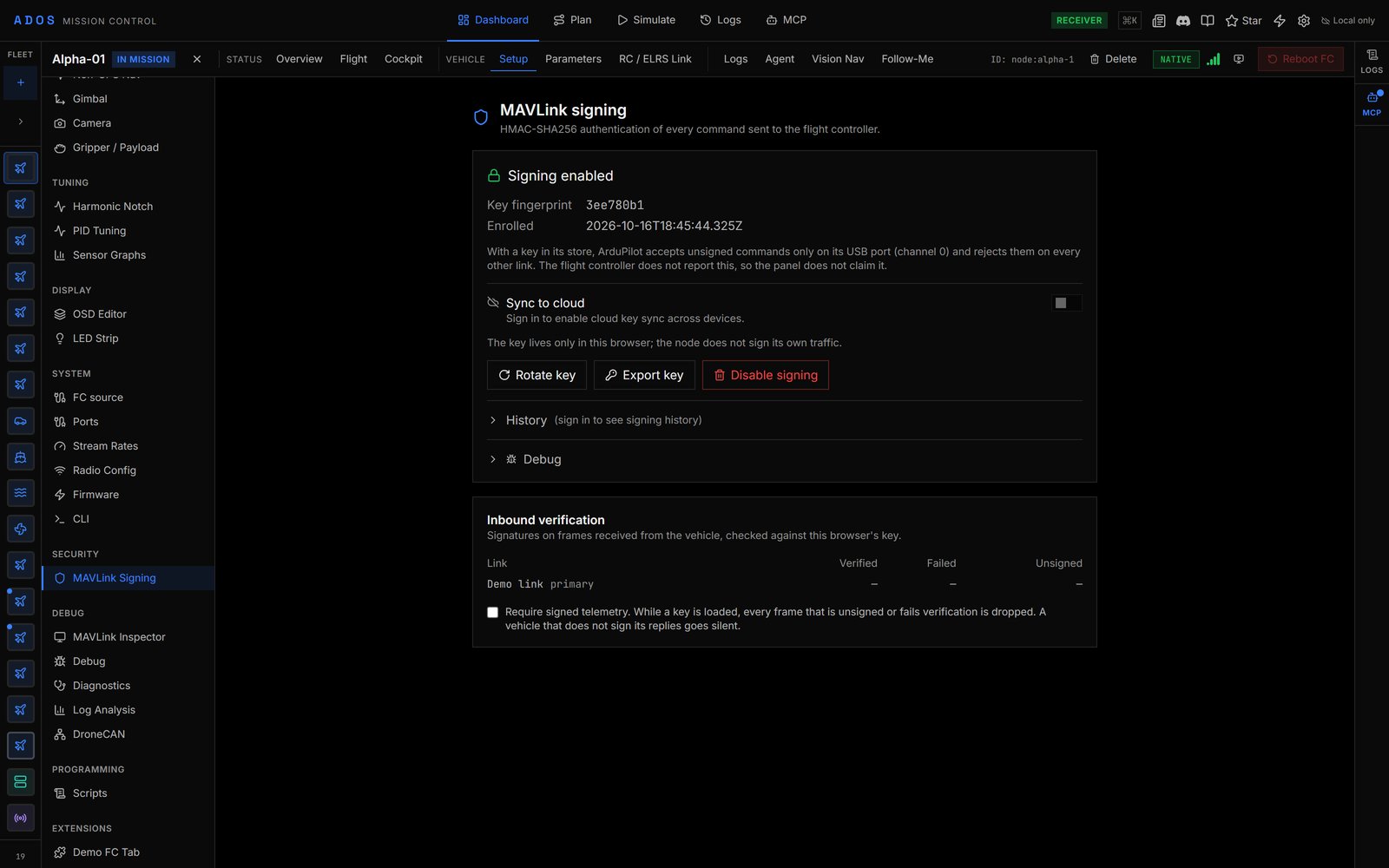
Setup tab, SECURITY, MAVLink Signing, with signing enabled and the key fingerprint shown.
Where to find it
Select the drone, open its Setup tab and choose SECURITY → MAVLink Signing.Firmware support
On an unsupported firmware the panel shows Signing not available on this drone.
Enable signing
1
Open the panel
The panel shows MAVLink signing is off with Enable signing and Import an existing key.
2
Click Enable signing
The browser generates a random 32-byte key, enrols it with the flight controller (
SETUP_SIGNING), and stores it in this browser. The panel shows Signing enabled and a short Key fingerprint you can compare later.When the flight controller has not confirmed
The flight controller never acknowledges a signing change, so the panel asks you instead of guessing.- Interrupted enrolment or rotation. If a request fails after the key may have gone out, the browser keeps both the new and the previous key, signs with the new one, and shows that the flight controller may hold either. Send a command: if it is accepted, choose It has the new key; if it is rejected, choose It kept the previous key.
- Disable. Disable signing sends an all-zero key, then keeps your key and keeps signing until you confirm. Once the flight controller accepts unsigned commands on a link other than USB, choose Signing is off: forget the key. If it still rejects them, choose It is still signing: keep the key.
Rotate a key
Click Rotate key and confirm. The browser generates a new key, enrols it, and replaces the old one. Other browsers that held the old key stop working for that drone until they import the new one. A reminder with Rotate now appears when a key has been in use for a long time.Import a key
If you have the key from another browser or ground station, click Import an existing key and paste the 64-character hex string. The browser stores and signs with it. Nothing is enrolled or tested: the key must already be on the flight controller, and the next command shows whether it is.Export a key
Export key rotates to a fresh key and copies it to your clipboard for 60 seconds (Rotate and copy). It never appears on screen. The new key is stored in this browser before the clipboard is touched; if the browser refuses the clipboard write, the panel offers Copy again. Exporting again replaces the key.How the key is stored
The key is stored as raw bytes in this browser’s IndexedDB (signing-keys-v1), tagged with the drone and, when you are signed in, your user id. MAVLink signing hashes the key itself with SHA-256, which Web Crypto cannot do with a non-extractable key, so any script on the Mission Control page can read it. Treat the browser profile as holding the key, and rotate it if you suspect the browser or site is compromised.
- Signing out purges the records tagged with your user id. Records enrolled while signed out stay on the device.
- Private and incognito windows lose their IndexedDB when closed. Use a normal window for signing.
- Cloud key sync is off: each browser keeps its own keys. Move a key between browsers with export and import.
Troubleshooting
If commands stop working after enabling signing:- Try over USB. If commands work there, the flight controller holds a key this browser does not sign with, usually because another browser rotated it.
- Import the current key from the browser that holds it, or connect over USB and enable signing again from this browser to enrol a new key.
503 when the flight controller is not connected, refuses the call while the aircraft is armed, and does not accept it over the cloud relay.
Next steps
Agent signing reference
Protocol detail and agent routes.
Flash Tool
Flash firmware and back up parameters.