

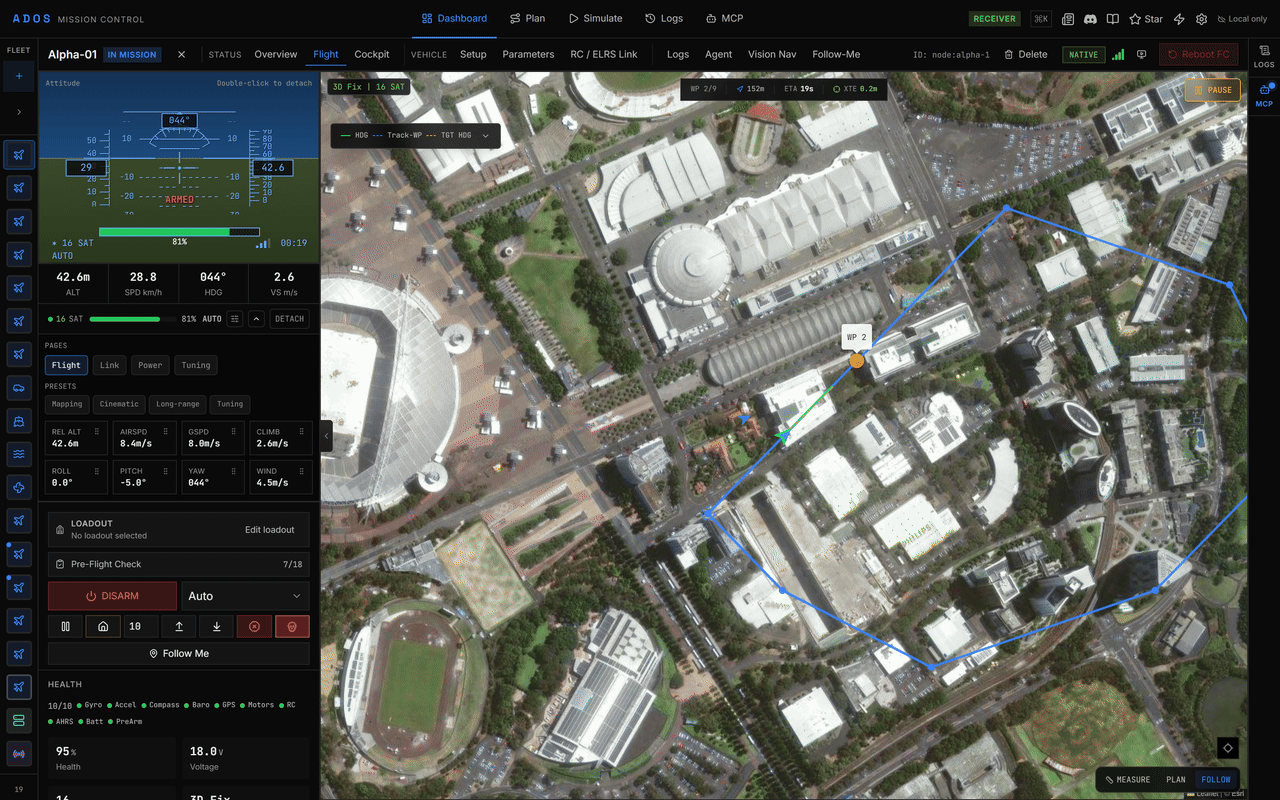
The telemetry deck expanded on the Flight tab.
Readouts
Position
Power
GPS
Attitude
Radio link
EKF
The EKF fuses sensor data into a position and velocity estimate. Mission Control shows its variance ratios as bars: velocity, horizontal position, vertical position, compass and terrain. Green is good, yellow marginal, and red means the estimate has not converged; do not fly GPS-dependent modes until it clears.Vibration
Telemetry deck
The deck expands below the Flight tab readout. Use its controls to expand it, customise it, or DETACH it into its own window. It has four pages:
Each cell shows its current value with a border coloured by severity. Drag cells to reorder them, or pick a preset: Mapping, Cinematic, Long-range or Tuning. When a cell crosses its warning or critical threshold, a toast names the value.
Health and alerts
The Flight tab’s health block shows the sensor health grid (gyro, accelerometer, compass, barometer, GPS, and optical flow or rangefinder when fitted) with failing sensors highlighted. Mission Control raises alerts for low battery, GPS loss, RC link loss, arm and disarm, waypoint and mission events, failsafes and errors. Battery thresholds default to a 30 % warning and a 20 % critical alert. Change them, and turn alert sounds on, in Settings → Notifications.Freshness
Telemetry is fresh for 2 seconds after the last sample. After 2 seconds it is stale, and after 5 seconds it is lost: readouts show-- instead of a value that may be wrong, and the readout shows link silent.
Storage
Each channel keeps roughly the last 60 seconds in a ring buffer (for example 600 attitude samples at 10 Hz) and discards the oldest samples as new ones arrive. Recorded flights live in the Logs tab; see Flight logs.Next steps
Video feed
Live video and transports.
Flight logs
Review, chart and replay recorded flights.