

Hardware
- A supported single-board computer. See Supported hardware for the board list.
- A flight controller running ArduPilot, PX4, Betaflight or iNav, wired to the board by UART or USB.
- A USB or CSI camera if you want video.
- Internet access on the board during install, and SSH access to it.
ados-installer from source (cargo build --release --workspace) and run it with --channel edge --artifacts <dir>. The full procedure is on Install the Drone Agent.
Install
Run this over SSH on the board:- Role: what the device is. Pick This flies (Drone).
- Hardware: the detected board and peripherals.
- Features: optional components to install.
- Wi-Fi: the network the board joins.
- Name: the node’s hostname.
- Pairing: optional pairing with Mission Control.
- Review: confirm and install.
Pass
--yes for a silent install with the defaults, or --profile drone to pin the role. Either flag skips the wizard, as do --non-interactive, --json, --quiet, --pair and --upgrade. Pass flags after -s --, for example curl -sSL https://raw.githubusercontent.com/altnautica/ADOSDroneAgent/main/scripts/install.sh | sudo bash -s -- --yes. Every flag is listed on Install the Drone Agent.Verify
Run the terminal status page:ados status prints a compact summary and ados status --json prints the same data for scripts.
Open the agent dashboard in a browser on the same network:
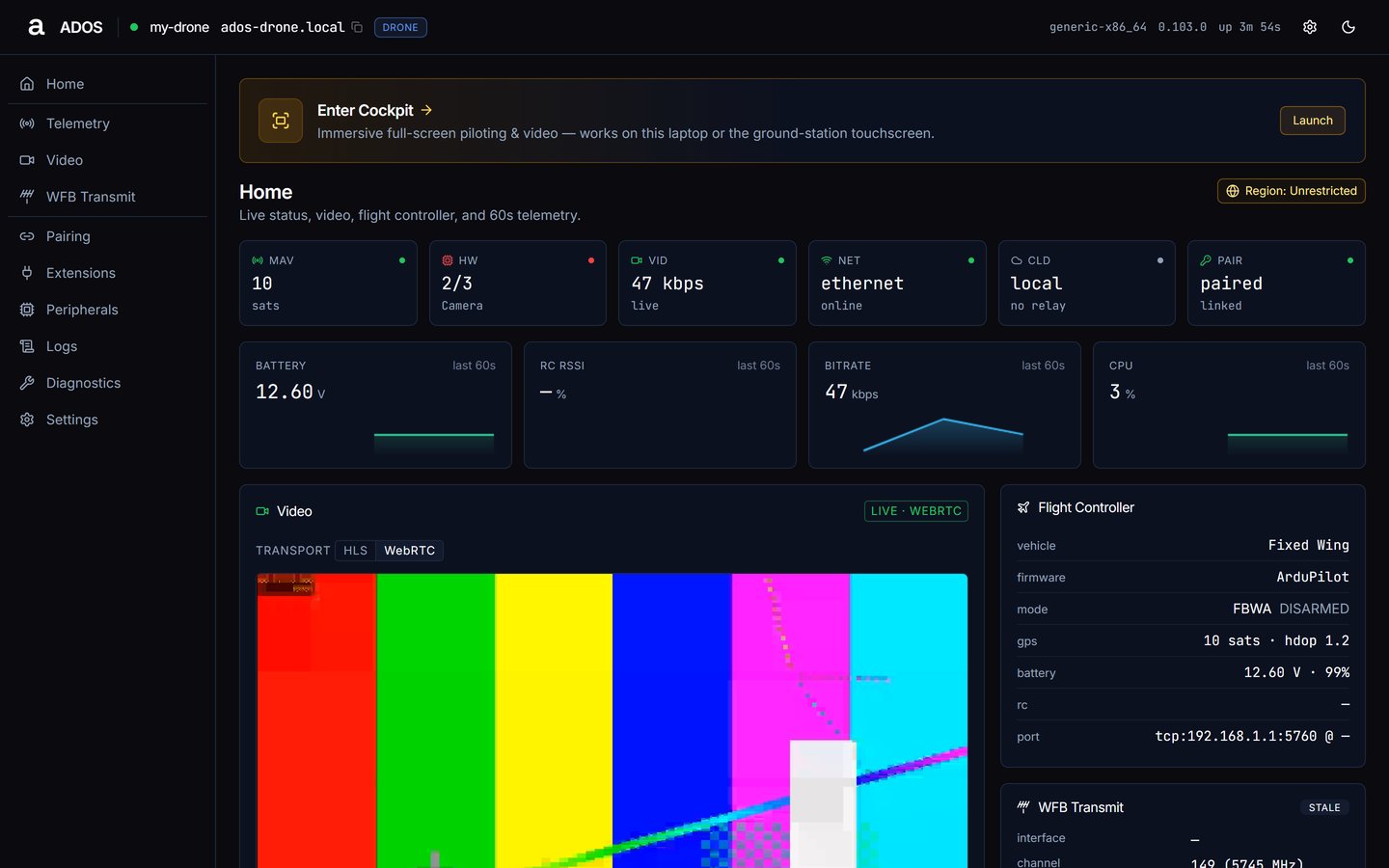
Agent dashboard Home while setup is still incomplete.
- Welcome: the device identity is known and a network (Wi-Fi, hotspot, USB tether or LAN) is up.
- Profile: confirm the node’s role.
- Operating region: set the region for radio rules.
- Hardware check: required components are detected.
- Cloud posture: choose local only, cloud or a self-hosted backend.
- Pair with Mission Control: shown only when a cloud or self-hosted backend is chosen.
- Flight controller: MAVLink is connected.
- Video: a camera is streaming. Skip it if the node carries no camera.
- Remote access: optional Cloudflare tunnel.
- Finish: setup is complete and Mission Control can reach the node.
Connect Mission Control
- Open Mission Control on a laptop on the same network as the board.
- Click + next to Fleet in the sidebar, or press
Ctrl+K(Cmd+Kon macOS) and choose Connect Drone. - Under Companion Computer, in Add a drone or ground station, enter
<hostname>.localor the board’s IP (for example192.168.1.50). A new agent also shows a 6-character pairing code inados status; you can type that instead. - Click Pair.
Next steps
Pairing
How Mission Control pairing works and how to unpair.
Agent dashboard
Every page of the on-board dashboard.
Your first flight
Arm and fly from the Cockpit tab.
Add a ground station
Long-range video and telemetry over WFB-ng.