

/io: HDMI kiosk display, joystick / gamepad assignment, and Bluetooth pairings for this ground station. Refresh reloads all three cards.
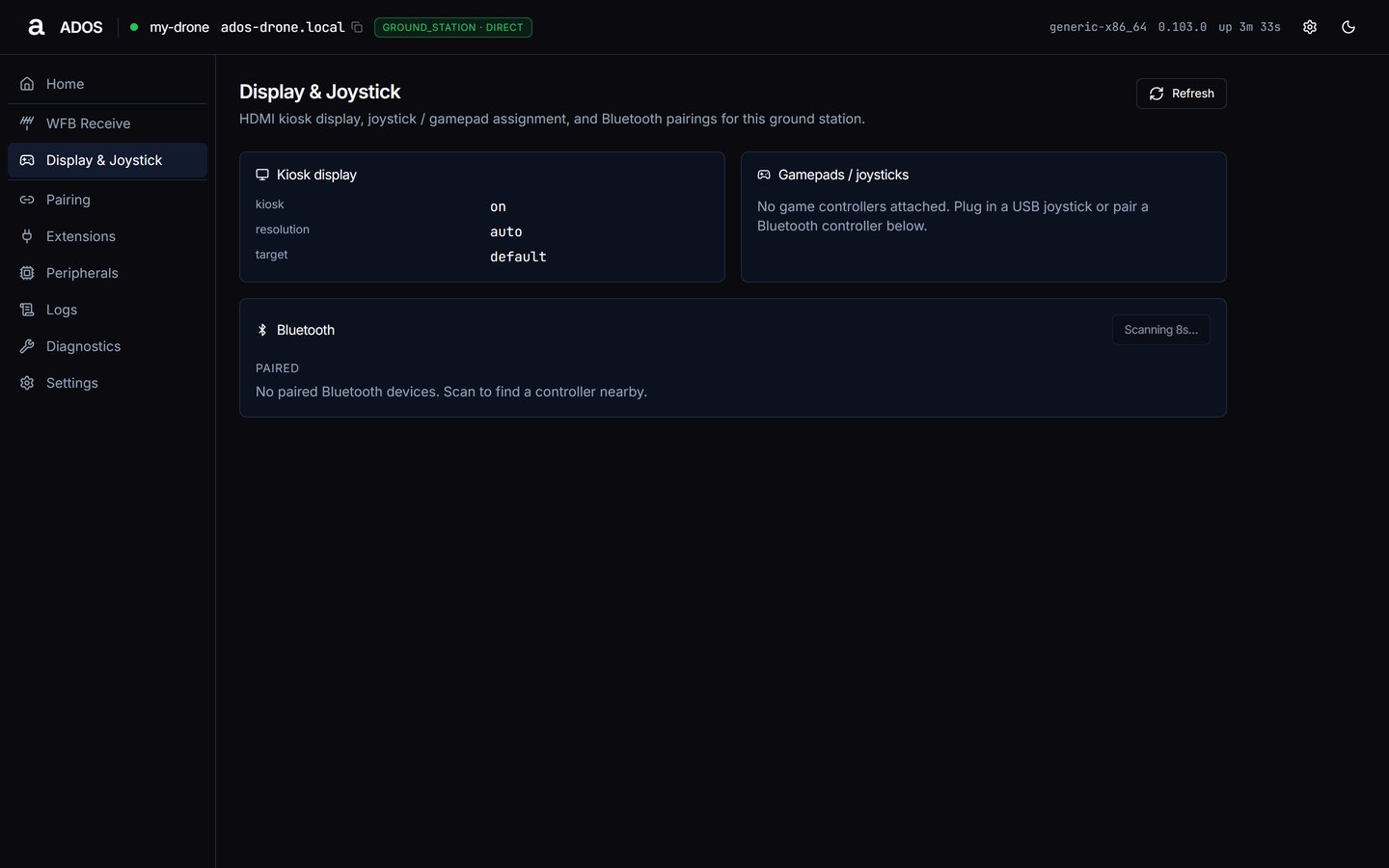
Display & Joystick with the kiosk on, no gamepad attached and a Bluetooth scan running.
Kiosk display
The Kiosk display card shows:
See HDMI kiosk to change it.
Gamepads / joysticks
The live controllers the ground station sees. The current primary carries aprimary badge; each other controller has a Make primary button. With none attached the card reads “No game controllers attached. Plug in a USB joystick or pair a Bluetooth controller below.”
Bluetooth
Paired lists paired devices as connected or paired. Press Scan: the station listens for 8 seconds, then lists Found nearby devices, each with a Pair button. A successful pair reports “Paired and connected.”Data sources
Troubleshooting
Gamepad does not appear
Gamepad does not appear
Plug the controller in again, or pair it over Bluetooth, then press Refresh. If it still does not appear, check Peripherals and restart
ados-input from Diagnostics.Paired, but the device did not connect
Paired, but the device did not connect
Wake the controller or put it back in pairing mode, then scan and pair again.
Next steps
Extensions
Installed extensions and the catalog.
Front panel
OLED, buttons and touch display.