

8080 as a drone, with ground-station pages in place of the drone pages. Opening it, the dashboard PIN, the layout and the profile rules are on the Agent dashboard overview.
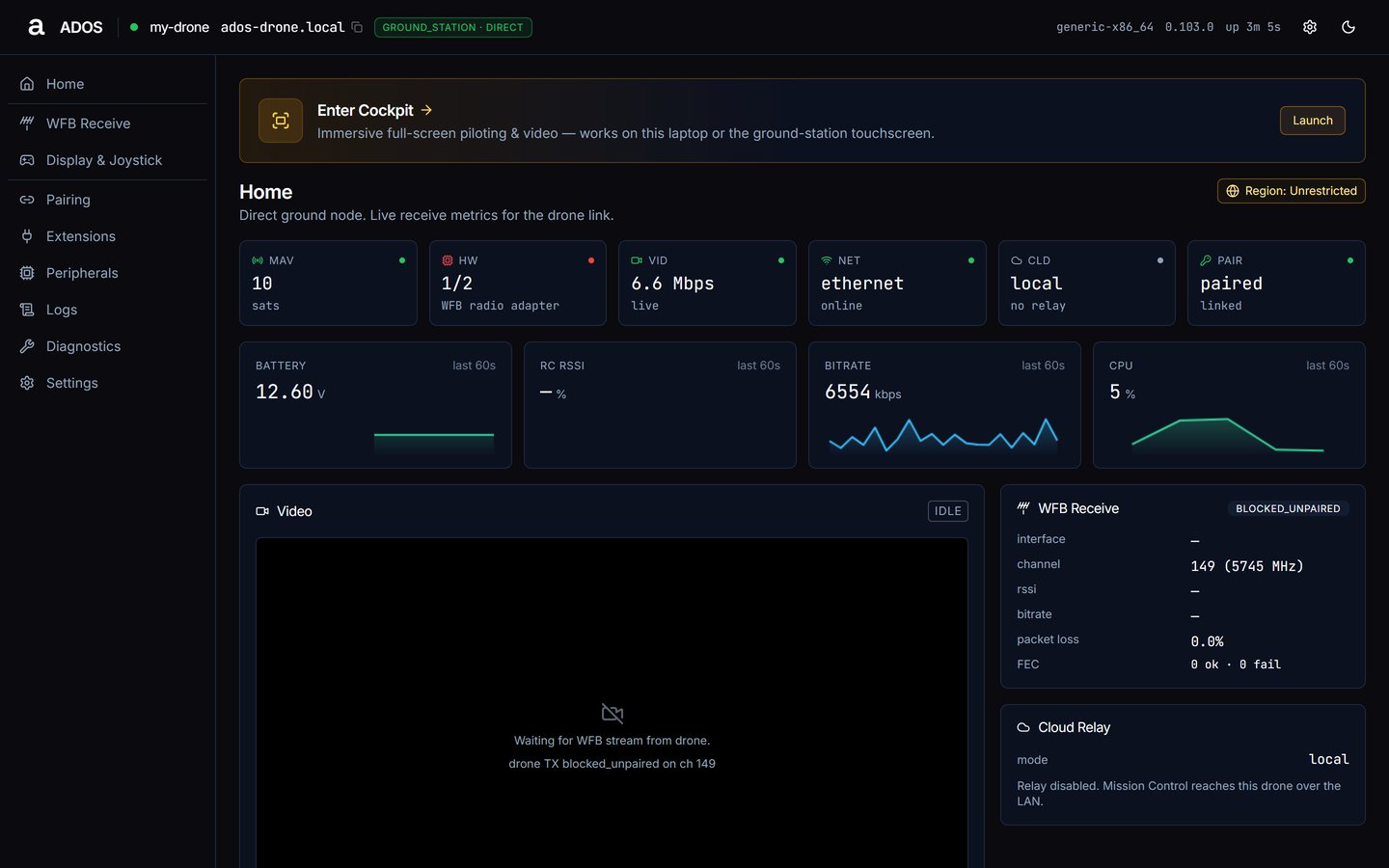
Home on a ground station in the direct role.
Ground-station pages
The top bar’s profile badge reads
ground_station · <role>. The role (direct, relay or receiver) is set in Settings → Profile; see Settings.
Ground-only surfaces
- Phone receivers on the Pairing page: approve a phone after matching its key fingerprint. See Pairing.
- Settings → Display: the active kiosk display and the panels this board supports.
- Enter Cockpit: the banner on Home opens the full-screen cockpit at
/cockpit. An attached HDMI kiosk opens the same cockpit at/cockpit/?kiosk=1; see HDMI kiosk.
Shared pages
These pages are the same on both profiles and are documented once, under Drone Agent:Home
Tiles, charts and the ground-station panels.
Pairing
Mission Control owner and phone receivers.
Extensions
Installed extensions and the catalog.
Peripherals
Registered peripheral manifests.
Logs
Live agent log rows.
Diagnostics
System metrics, services and reboot.
Settings
The sections a ground station shows.
Next steps
WFB Receive
Receive-side link status.
Set up a ground station
Profile, role and first bring-up.