

ground_station profile) gets its own detail panel in Mission Control. Select the ground station in the Fleet sidebar to open it.
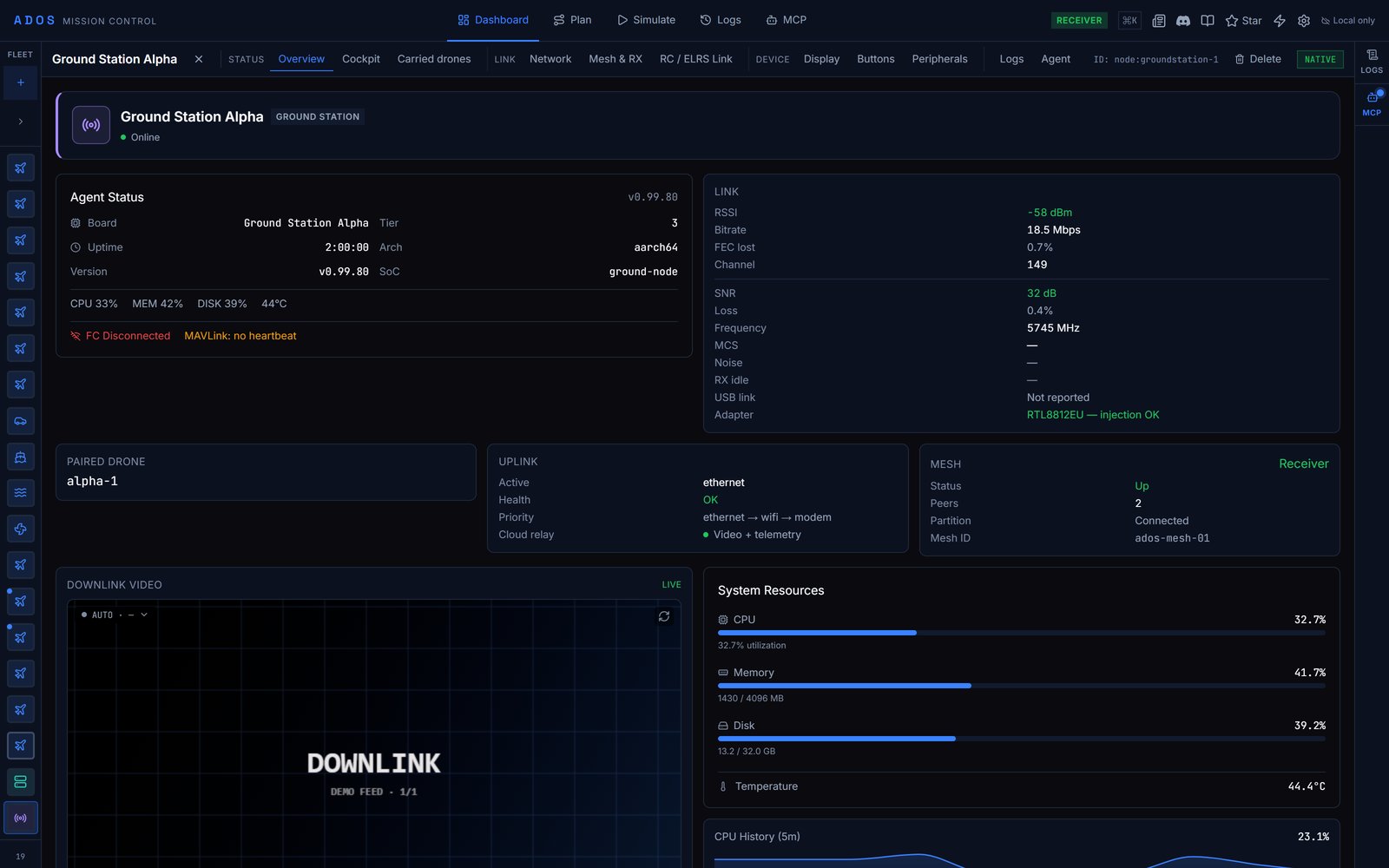
A ground station's Overview tab.
Tabs
The top bar also shows the ground station’s role (Direct, Relay, Receiver or Unset).
Overview
Status at a glance: the Agent Status card (CPU, memory, disk, temperature and control-plane round-trip time), link health, the paired drone, the uplink, the mesh summary, the video card, resource gauges, the service table and a log viewer.Cockpit
Hands over to the drone this ground station carries: This ground station carries with a Fly button. With no drone linked, it points to Carried drones. See Cockpit and Skills.Carried drones
The aircraft this ground station relays, when each was last heard, and what authority this browser holds over it. “Last heard” is a decode on the ground station, not a heartbeat from the drone’s own uplink. See Transitive enrollment.Radio
The WFB-ng video radio: link state, channel and TX power, the video link, and Phone receivers for phones receiving the air link directly. See WFB-ng.Network
Every uplink path: Wi-Fi access point, Wi-Fi client, Ethernet and 4G modem, plus uplink priority, adapter stability and Wi-Fi power save. The active uplink decides which network the agent uses for the cloud relay. Pair with drone starts air-link pairing. See Uplink matrix.Mesh & RX
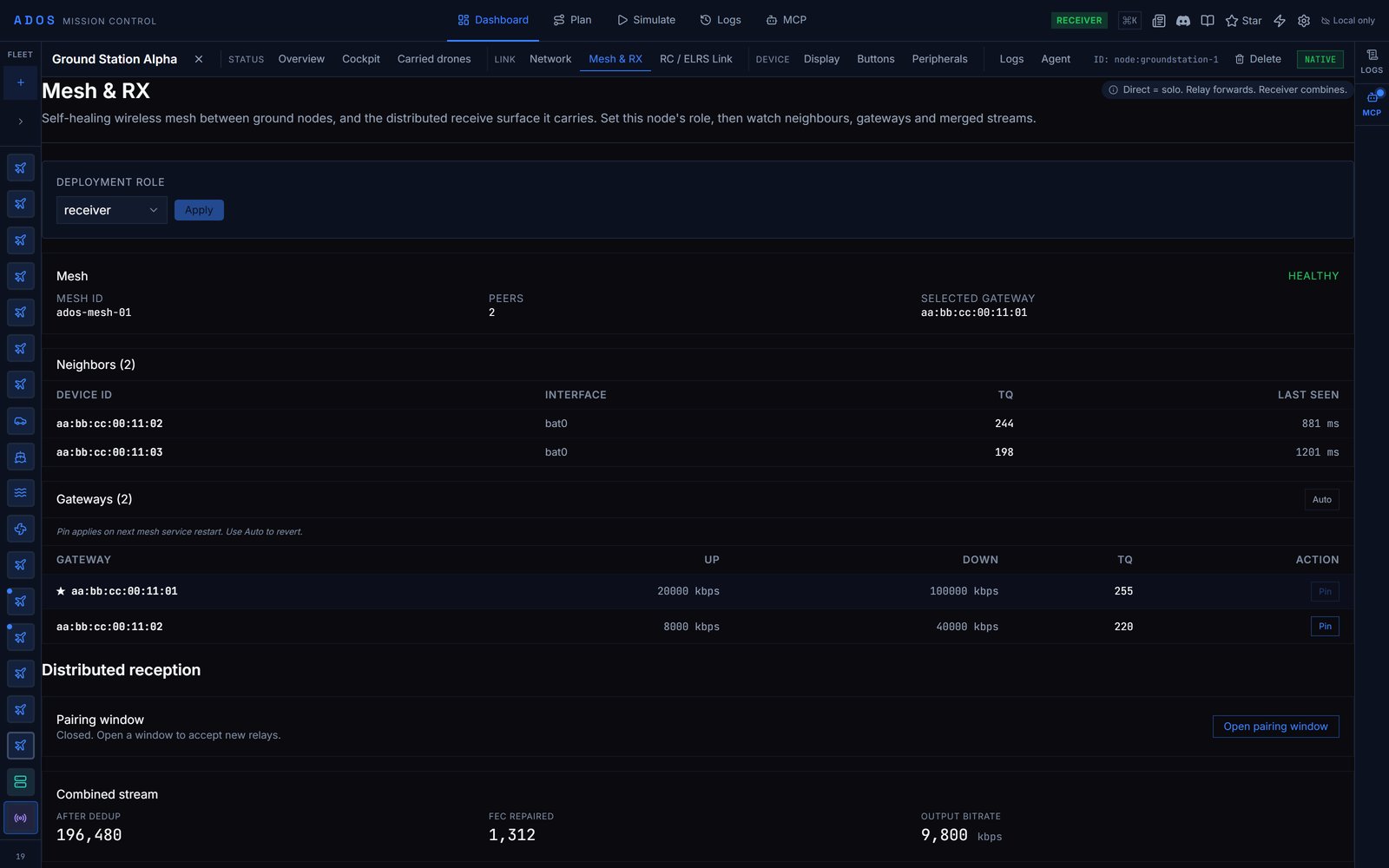
The Mesh & RX tab on a receiver, with the pairing window closed.
- Deployment role: pick
direct,relayorreceiverand click Apply. The role is written to the node over the LAN. On a direct node, the tab says so and the rest stays empty. - Mesh health, neighbours and gateways, on relay and receiver nodes.
- Relay status on a relay.
- Distributed reception on a receiver: the pairing window (Open pairing window, Close window, the seconds remaining), the Relay join code to enter on a relay, Pending requests with Approve, combined-stream statistics and Connected relays.
RC / ELRS Link
The ExpressLRS control lane this node transmits: RSSI, SNR, uplink and downlink LQ, band, packet rate, TX power, frame counts, control mode, channel source, pilot in command and relay role. See ELRS CRSF control lane.Display
The SPI LCD on the ground station: Local Display (auto-detect or force HDMI, LCD or none), a Live preview of the LCD, HDMI Cockpit with its kiosk URL, Remote control, theme, camera switch and recording monitor. Calibrate touch runs the nine-point touch calibration on the device; tap each crosshair it shows. See Front panel.Buttons
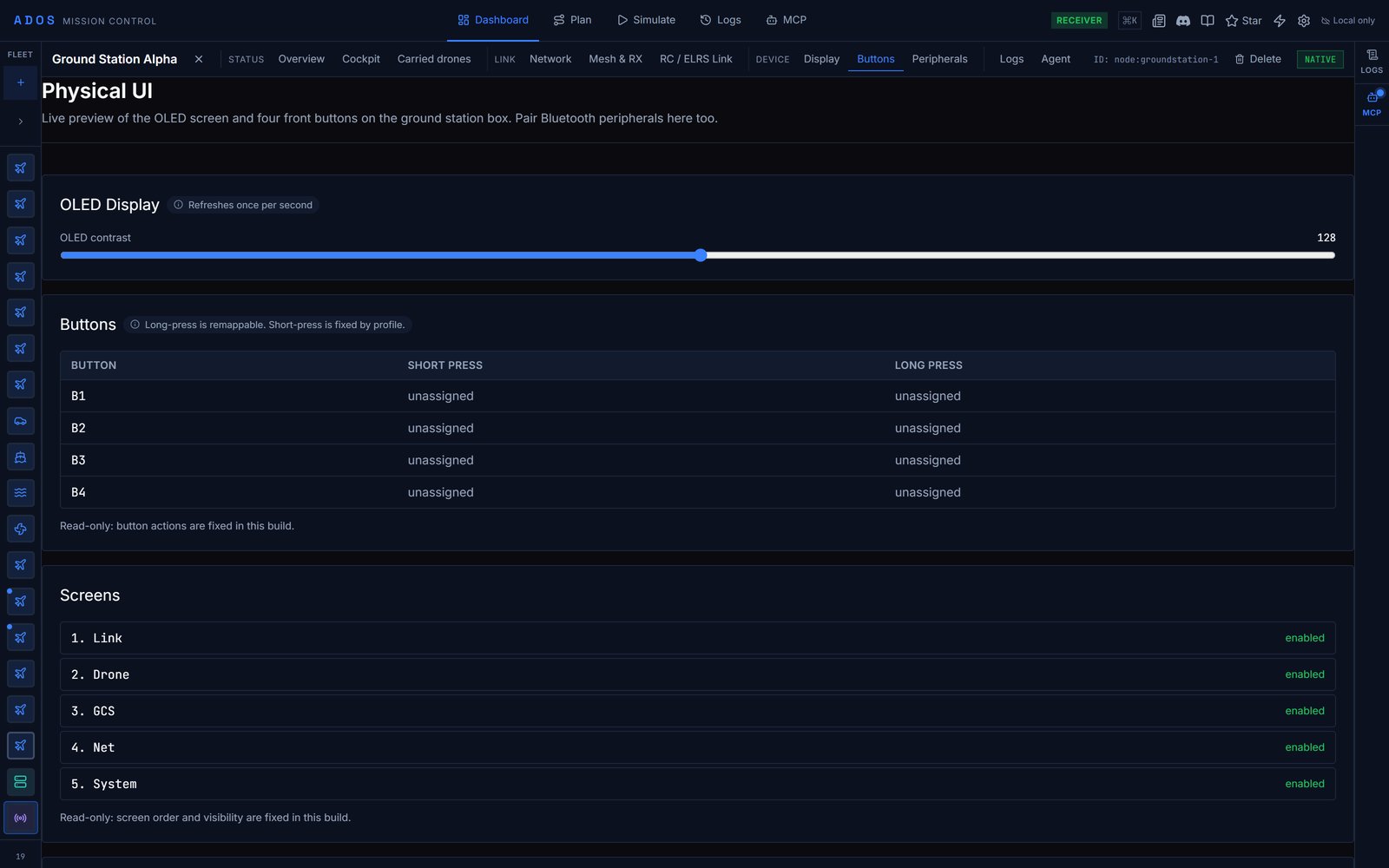
The Buttons tab (Physical UI) with the OLED contrast slider, the button map and the screen list.
- The local display card and LCD preview, shown only when the agent has an SPI LCD panel bound.
- OLED Display: the OLED contrast slider (0 to 255). Changes are sent to the node and applied to the OLED.
- Buttons: what B1 to B4 do on a short and a long press. Read-only in Mission Control; remap long presses through the agent API described on Front panel.
- Screens: the OLED screen order. Read-only.
- Bluetooth: Pair new device to scan and pair a gamepad or accessory, and Forget for each paired device.
Peripherals
Extension-managed peripherals the agent declares: cameras, sensors and custom hardware, with a rescan button.Logs and Agent
Logs shows the node’s logs (a ground station has no flights). Agent is the configuration sidebar described on Node configuration.Factory reset
Mission Control does not factory-reset a ground station. The reset runs on the box itself. The procedure is on Set up a ground station, and what it wipes is listed on Hardening.Data flow
The panel talks to the Ground Agent over:
On the ground station’s own access point the node is
192.168.4.1, and over USB tether 192.168.7.1. A Mission Control page served over HTTPS (including the hosted version) cannot open these plain http:// and ws:// endpoints. Use Mission Control from source over plain HTTP, the desktop app, or the ground station’s own dashboard at http://192.168.4.1:8080/.
Polling pauses while the browser tab is hidden. When a node goes offline the panel keeps its last-known state and refreshes on reconnect. None of the local controls need the internet.
Next steps
Set up a ground station
Install, pick a role and pair.
Build a mesh
Relays, receivers and mesh pairing.
Front panel
OLED, buttons and the touch display.